Key Takeaways
- Visuals Sell: High-quality ecommerce product photos are the single most important factor in conversion rates for online stores.
- Light is Key: Understanding lighting—whether natural or artificial—is more critical than having an expensive camera.
- Consistency Matters: A consistent style across your catalog builds brand trust and professional authority.
- AI Revolution: Modern AI photo enhancement tools like Lumabox.ai have replaced hours of manual editing, making professional e-commerce visuals accessible to everyone.
- Holistic Approach: Combine solid photography fundamentals with cutting-edge post-processing for the best results.
In the digital marketplace, your customer cannot touch, feel, or try on your product. Your photography is the product experience. A blurry, poorly lit image can kill a sale instantly, while a crisp, professional visual can elevate even a simple item into a must-have.
For years, achieving professional e-commerce visuals meant hiring expensive studios or mastering complex DSLR cameras. Today, the landscape has changed. With the powerful camera in your pocket and the rise of AI photo enhancement, creating stunning product imagery is more accessible than ever. This guide will walk you through the modern workflow of capturing and enhancing product photos that convert.

Phase 1: Preparation – Setting the Stage for Success
Before you even touch a camera, you need to set up your environment. Great photos happen in front of the lens, not just inside it.
1. The Gear: You Don't Need a $3,000 Camera
While a DSLR or Mirrorless camera offers more control, modern smartphones (iPhone 14/15, Samsung S23/24, Pixel 8) are more than capable of capturing high-resolution ecommerce product photos.
- Tripod: Non-negotiable. It ensures sharpness and consistency, especially in lower light.
- White Card/Reflector: A simple piece of white foam board to bounce light into shadows.
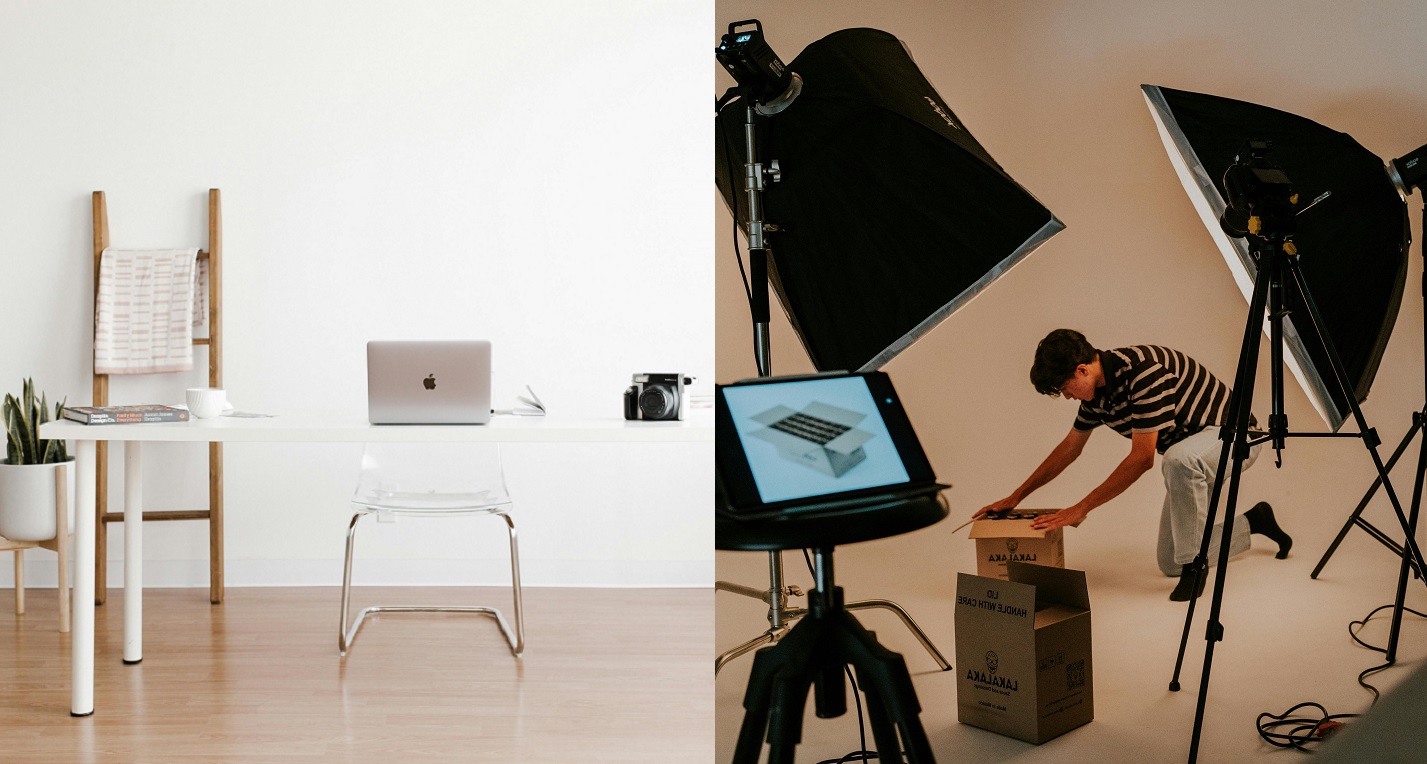
2. Lighting: The Heart of Photography
Lighting defines the texture, color accuracy, and mood of your product.
- Natural Light: Best for lifestyle shots, clothing, and food. Position your setup near a large window, but avoid direct harsh sunlight. Use a sheer curtain to diffuse the light for a soft, professional look.
- Artificial Light: Best for consistency and sharp details. A simple two-light setup (key light and fill light) with softboxes can work wonders.
3. The Background
Keep it simple. A seamless white paper roll (sweep) is the industry standard for listing photos. It removes distractions and focuses the eye entirely on the product. However, for social media and branding, textured backgrounds are gaining popularity.
- Note on Niche Products: If you are shooting small, reflective items like rings or necklaces, the background choice is even more critical. Read more in our guide on Jewelry Photography Backgrounds to master managing reflections.
Phase 2: The Shoot – Capturing the Perfect Shot
Now that you're set up, it's time to shoot. Here are the core product photography tips to ensure you get the best raw material.
Camera Settings (For Smartphone & DSLR)
- Avoid Zoom: Digital zoom degrades quality. Move the camera closer instead.
- Lock Focus & Exposure: Tap and hold on your product screen to lock the focus and exposure so it doesn't shift between shots.
- Use the Grid: Enable the 3x3 grid on your phone to help with composition (Rule of Thirds).
Angles That Sell
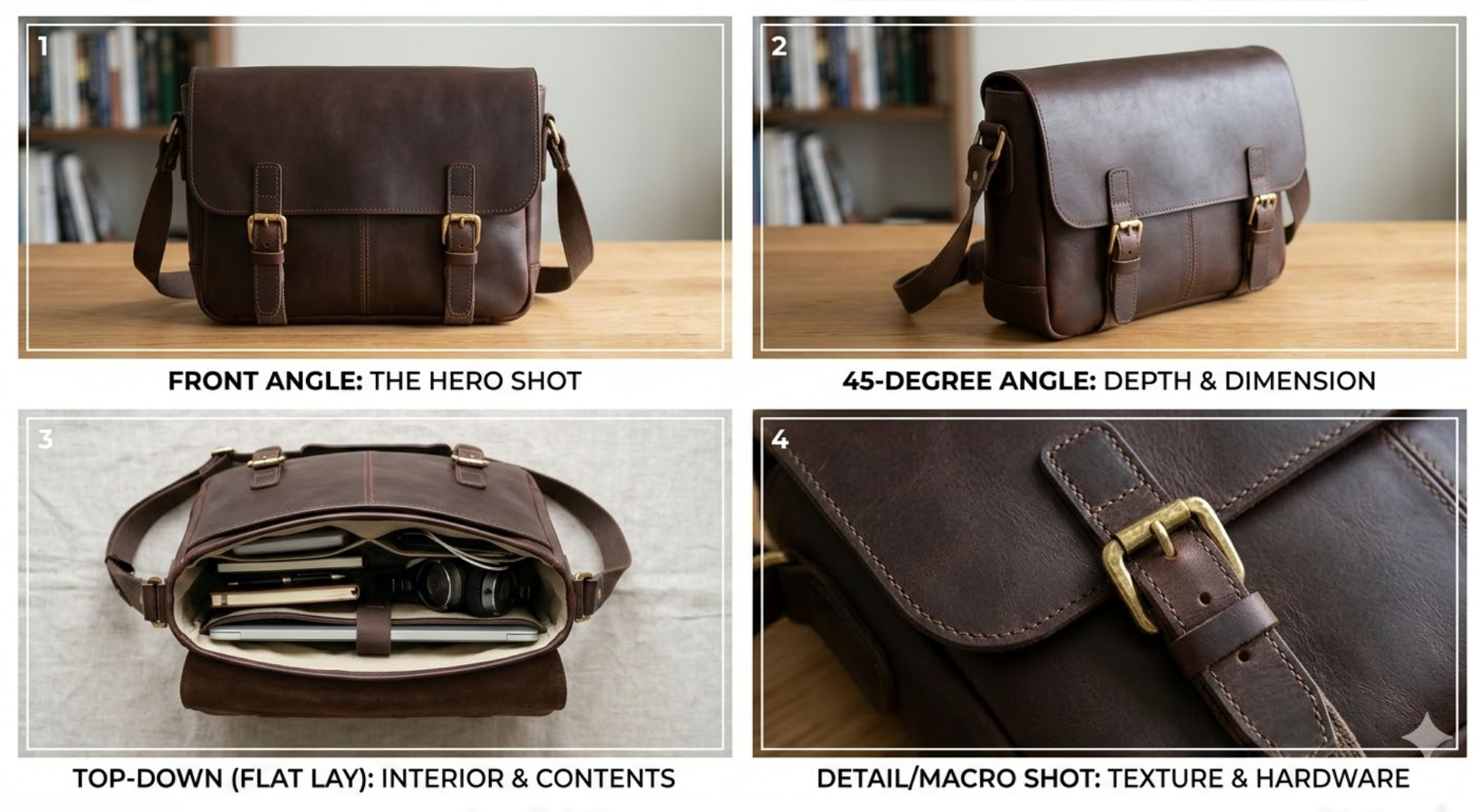
Don't just shoot from eye level. Show the product from every relevant perspective:
- Front Angle: The hero shot. Shows the product clearly.
- 45-Degree Angle: Shows depth and dimension.
- Top-Down (Flat Lay): Great for arranging multiple items or showing packaging contents.
- Detail/Macro Shot: Highlight texture, fabric quality, or key features.
Dealing with Scale
For large items like furniture, capturing the sense of scale is difficult in a studio. You often need a wide environment to show how a sofa or table fits into a room.
- Resource: Struggling with large items? Check out our article on Revolutionizing Furniture Photography Backgrounds for specific techniques on handling scale and perspective.
Phase 3: Post-Production – The Modern AI Workflow
In the past, "editing" meant hours in Photoshop clipping paths, adjusting curves, and dodging and burning. Today, AI photo enhancement handles the heavy lifting, allowing you to focus on creativity and strategy.
The Traditional Struggle vs. The AI Advantage
- Traditional: Manually select the subject > Delete background > Add artificial shadow > Color correct global image. Time: 15-30 minutes per photo.
- Modern AI: Upload photo > AI analyzes geometry and lighting > AI generates realistic background and shadows instantly. Time: 30 seconds per photo.
Essential Editing Steps
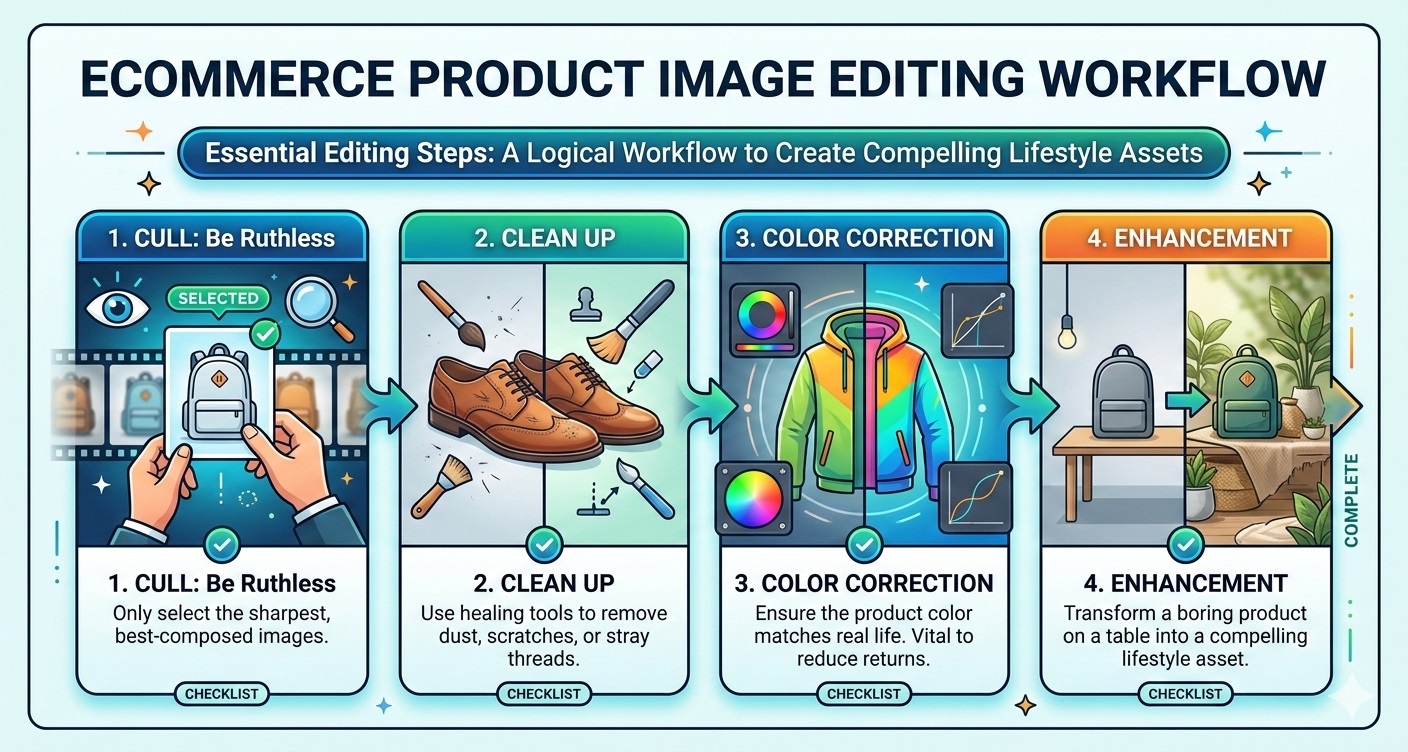
Even with AI, you should follow a logical workflow:
- Cull: Be ruthless. Only select the sharpest, best-composed images.
- Clean Up: Use healing tools to remove dust, scratches, or stray threads.
- Color Correction: Ensure the product color in the photo matches real life. This is vital to reduce returns.
- Enhancement: This is where you transform a boring product on a table into a compelling lifestyle asset.
Why "Good Enough" Isn't Enough
Shoppers are savvy. They can spot a bad "cut-and-paste" job where a product floats awkwardly on a background. True professional e-commerce visuals require:
-
Realistic Shadows: Shadows must fall in the correct direction based on the light source.
-
Reflections: Shiny objects should reflect their environment, not just a white void.
-
Color Grading: The product and background must share the same color temperature.
-
Deep Dive: For a detailed breakdown of editing techniques, refer to our Professional Product Photo Editing Guide.
Introducing Lumabox.ai: Your Professional Photo Studio in the Cloud
This is where Lumabox.ai bridges the gap between amateur effort and professional results. We didn't just build an editor; we built a virtual photo studio.
Lumabox.ai is designed specifically to solve the pain points of e-commerce merchants:
- No More Manual Clipping: Our AI automatically detects your product with pixel-perfect precision.
- Contextual Lighting: When you choose a "Sunny Kitchen" background, Lumabox doesn't just paste your image; it re-lights your product to match the sun's direction and intensity.
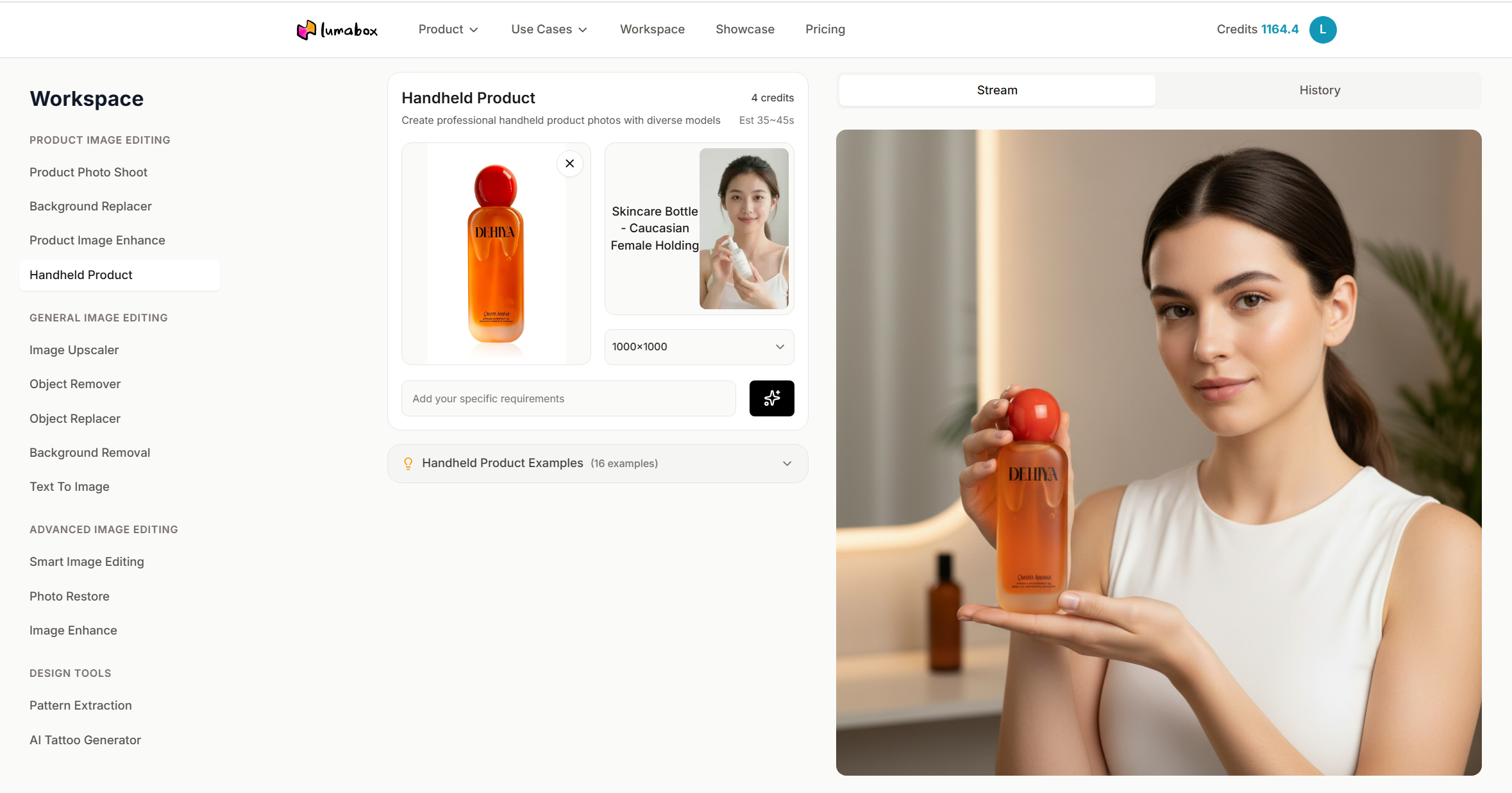
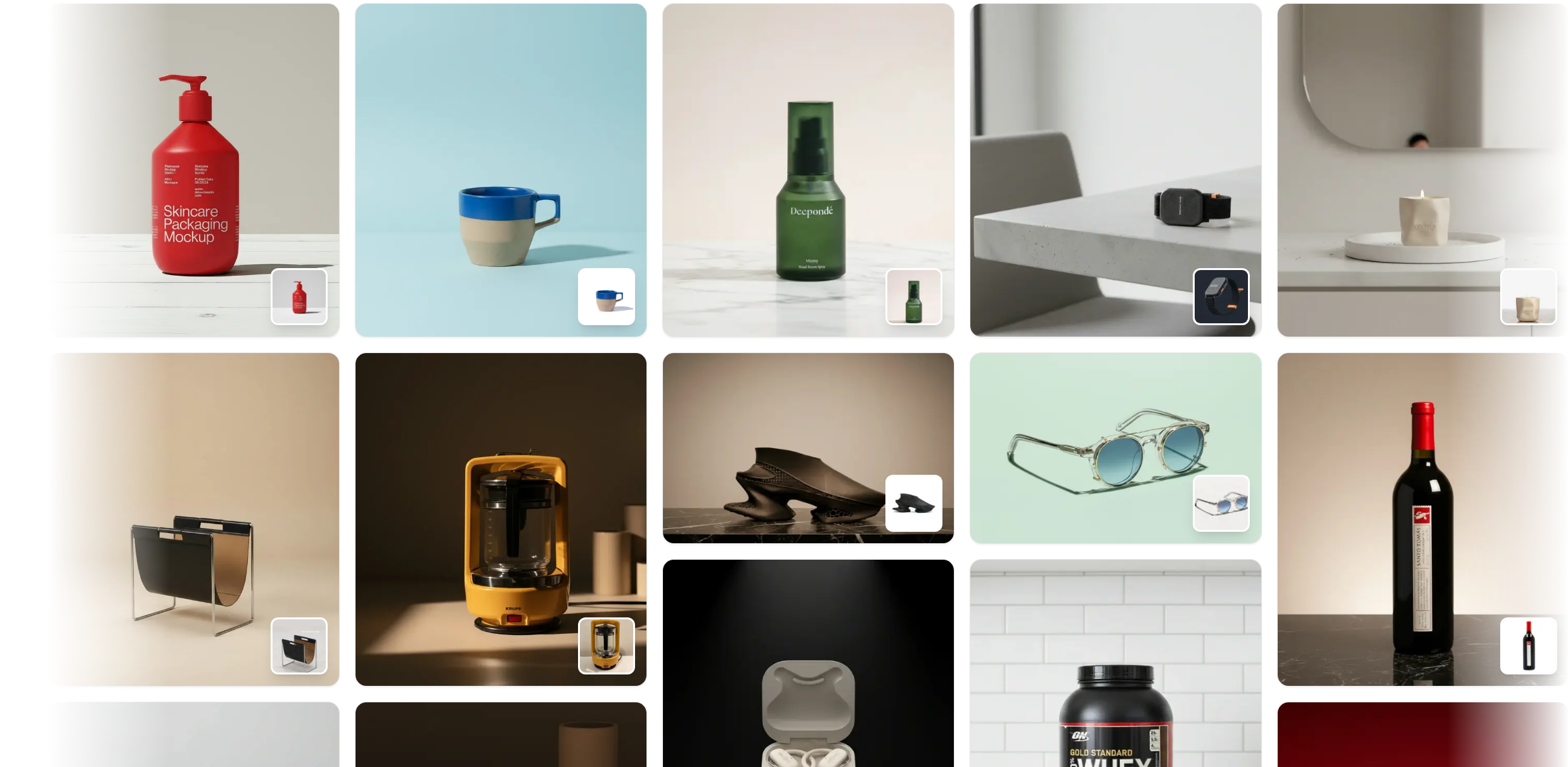
- Infinite Variety: Need your skincare bottle on a marble podium? Or in a splash of water? Or held by a human model? Generate endless variations in seconds without buying props.
How It Works
- Upload your raw product photo (even a smartphone shot works).
- Choose the template scene you want, add your specific requirements (optional) and select a resolution.
- Generate professional, high-resolution images ready for your Shopify store, website, or Instagram feed.
By using Lumabox.ai, you aren't just saving time on editing; you are upgrading the perceived value of your brand.
Conclusion
Creating professional e-commerce visuals is a journey of two halves: capturing a solid raw image and perfecting it with modern tools. By mastering the basics of lighting and composition, and leveraging the power of AI photo enhancement tools like Lumabox.ai, you can produce studio-quality imagery that rivals top brands—at a fraction of the cost and time.
Stop letting average photos hurt your conversion rates. Start capturing, enhancing, and selling more today.
People Also Ask
Q: What is the best camera for e-commerce product photos? A: While DSLRs like the Canon EOS R series or Sony Alpha series are excellent, modern smartphones like the iPhone 15 Pro or Google Pixel 8 are perfectly capable for most e-commerce needs when used with good lighting.
Q: How can I edit product photos for free? A: There are free tools available, but they often lack the advanced AI lighting and shadow generation that professional paid tools offer. Investing in a specialized tool often pays for itself in saved time and higher conversion rates.
Q: Do I need a lightbox for product photography? A: A lightbox is great for consistent, shadow-free white background shots. However, for lifestyle images that tell a story, natural light or open studio lighting often produces more engaging results.