Multi-Model Pipeline Guide: Chain AI Models for Better Results
A single AI model rarely gives you the perfect result on the first try. The secret? Chain 2 models together—each doing what it does best.
This guide shows you 5 proven 2-step workflows that combine Midjourney, Flux, Nano Banana, GPT-4o, Qwen, and Seedream to create results better than any single model could achieve alone.
Why Use Multi-Model Pipelines?
Each AI model has unique strengths:
- Midjourney creates stunning artistic concepts
- Flux delivers photorealistic quality
- Nano Banana makes precise edits without ruining the image
- GPT-4o renders text accurately
- Qwen processes fast and handles Chinese text
- Seedream outputs high-resolution detail
The problem: No single model excels at everything.
The solution: Use Model A for its strength → Use Model B to fix Model A's weakness → Get the best of both worlds.
🎯 6 Proven 2-Step Workflows
Workflow 1: Beautiful → Realistic
Midjourney → Nano Banana
Use when: You want artistic beauty but need realistic accuracy
Step 1: Generate with Midjourney
- Creates stunning, creative concept
- Beautiful colors, dramatic composition
- May have unrealistic elements or proportions
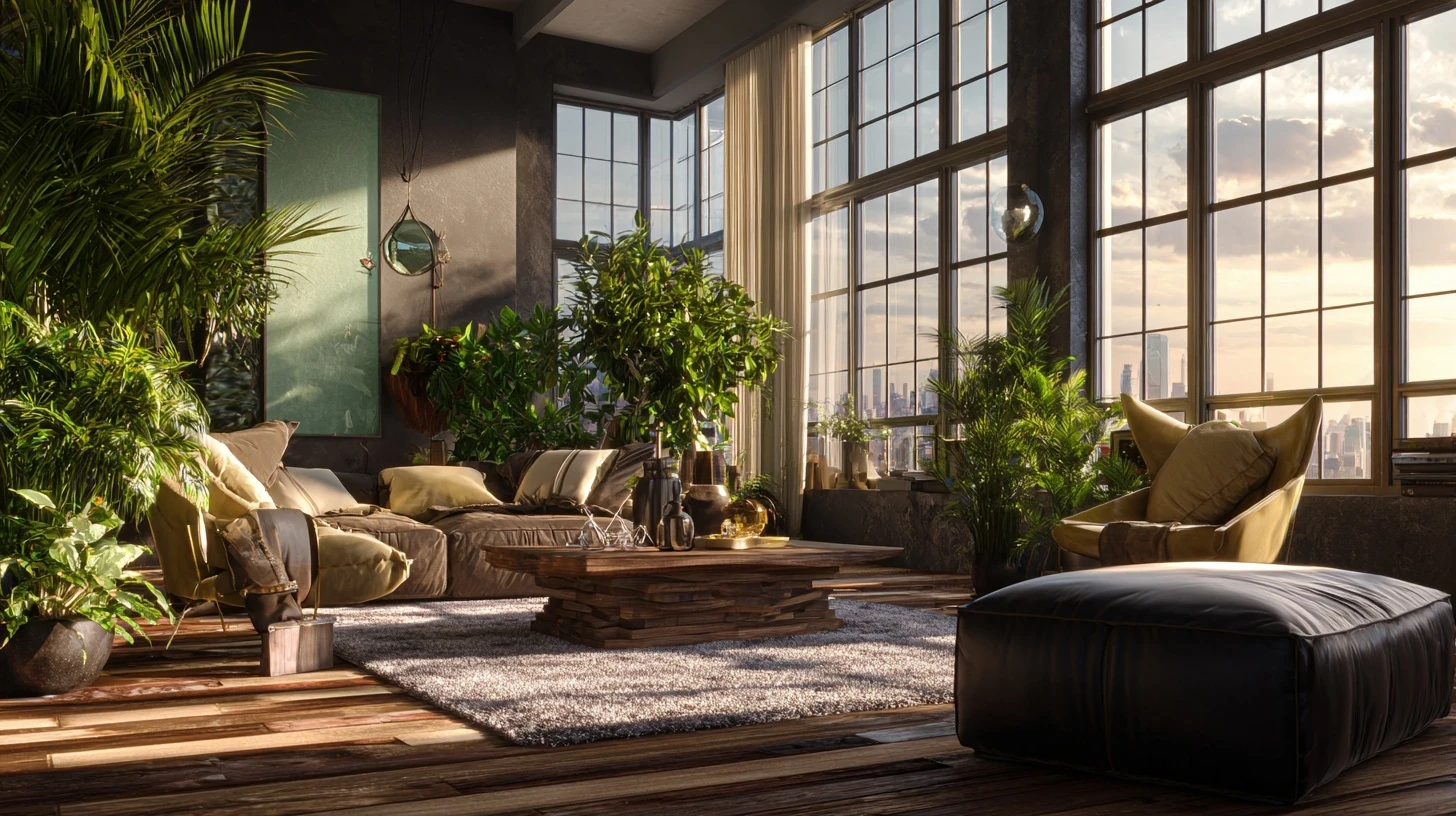

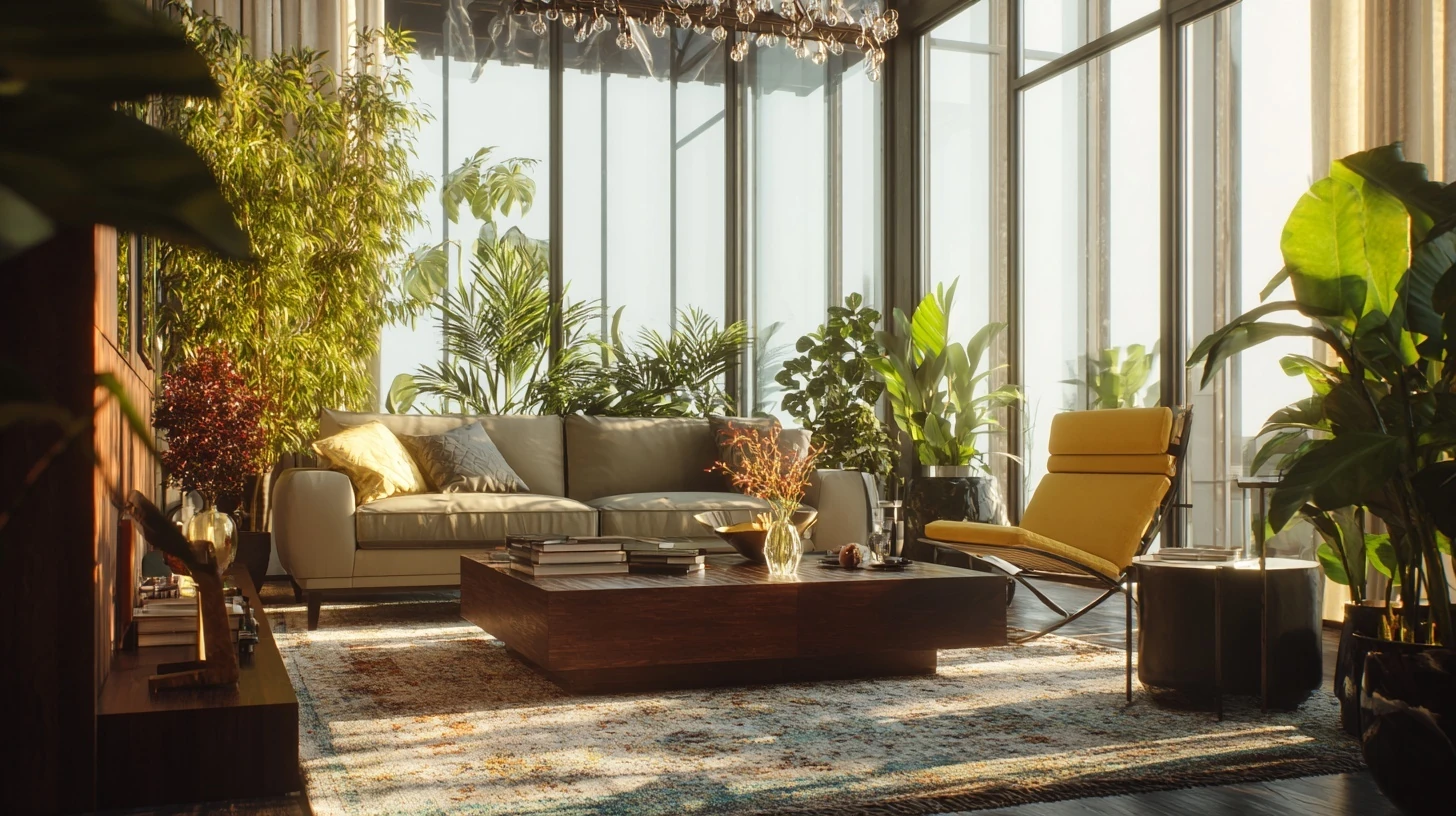
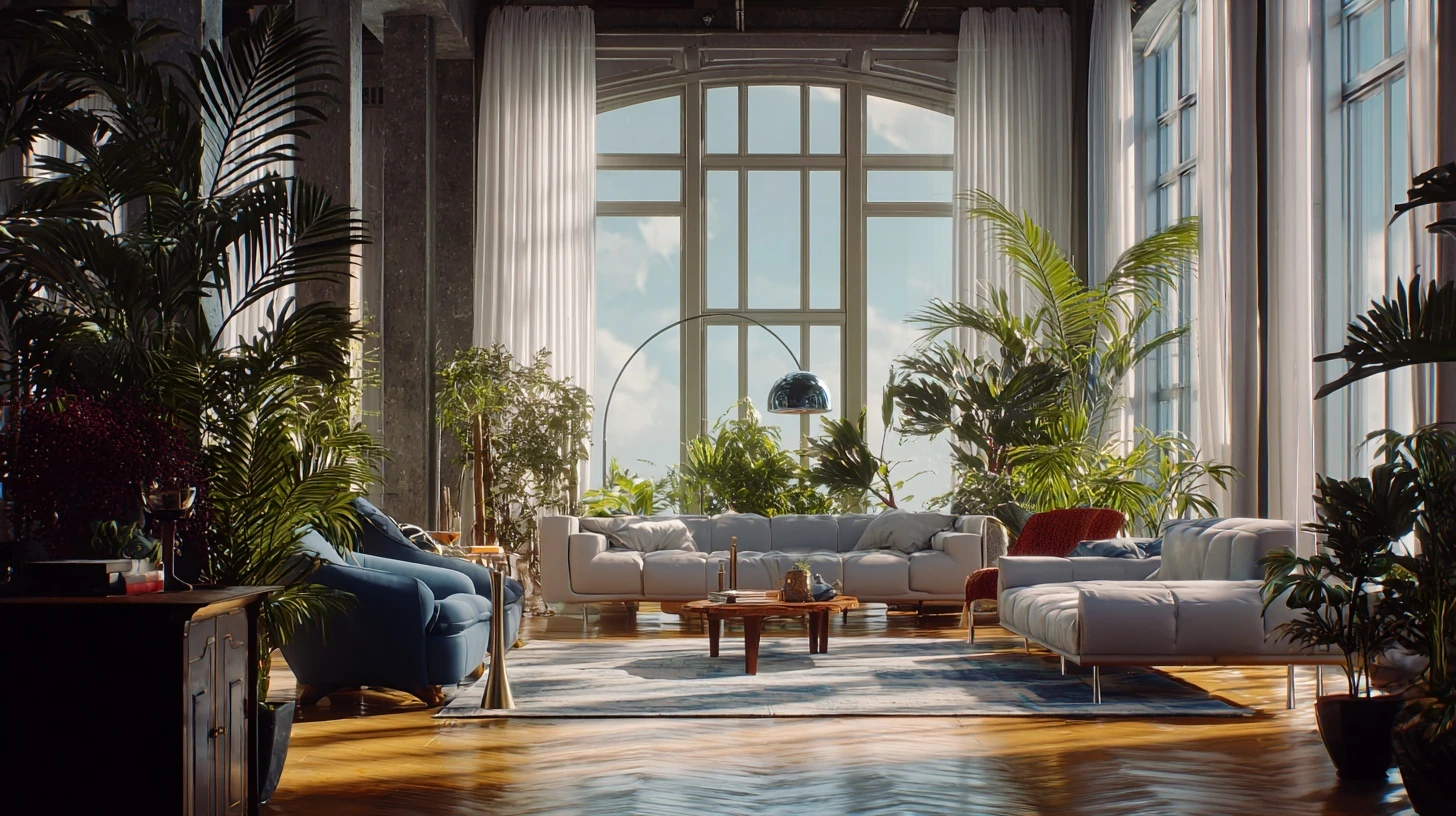
luxury loft living room marketing hero shot with lifestyle models, golden hour rim light, floor-to-ceiling windows, sculptural furniture, lush indoor plants, cinematic composition, vibrant but tasteful color grading, ultra-detailed 8k render.
Step 2: Refine with Nano Banana
- Make adjustments to image with local changes
- Decide on important details only after seeing the result from Midjourney
- Add, remove or change any detail in the image
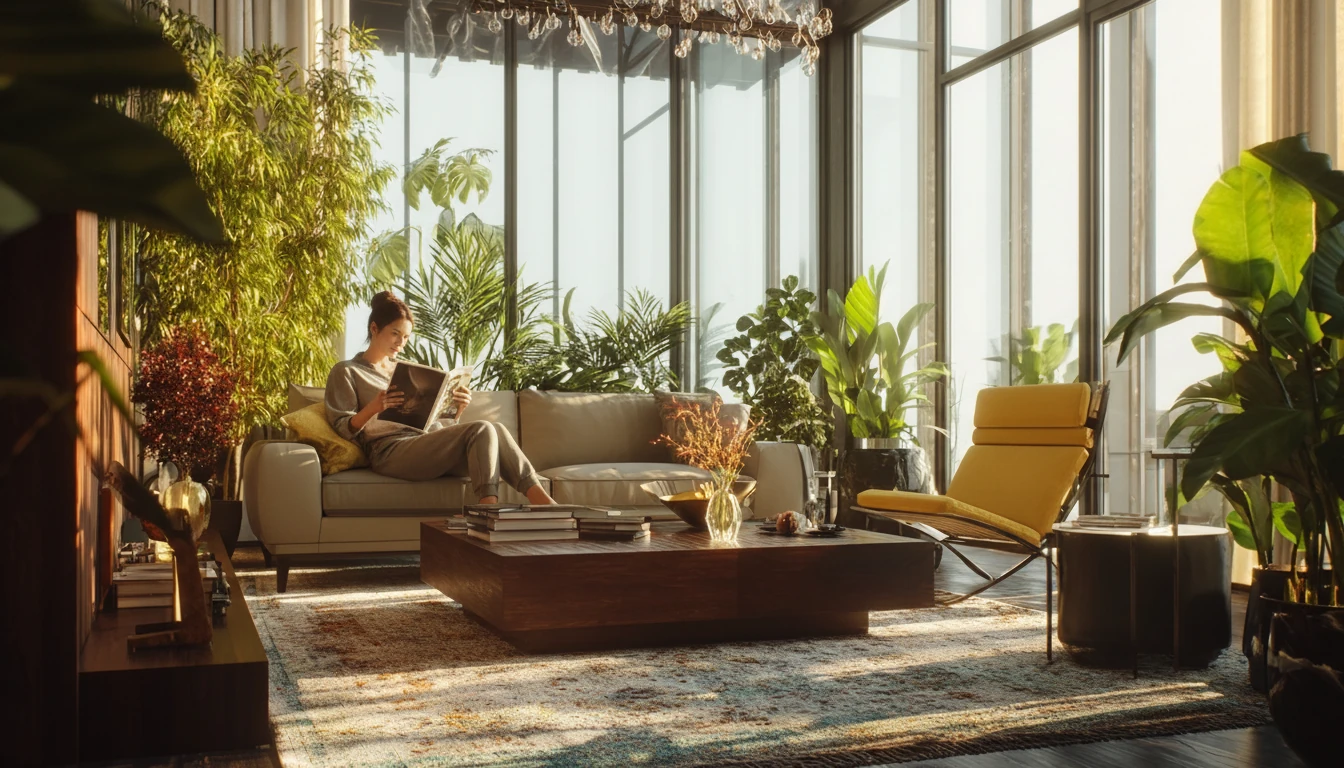
Let's add a female lifestyle model and have her sit on the left side of the sofa casually reading a magazine.
Example use case: Marketing visuals that need to look both beautiful AND believable
Credit cost: 4 (Midjourney Fast) + 2 (Nano Banana) = 6 credits total
Workflow 2: Fast Preview → Production Quality
Qwen → Flux
Use when: Testing ideas fast, then upgrading winners to final quality
Step 1: Generate with Qwen
- Test 10 different concepts in minutes
- Only 1-1.5 credits per image
- Identify which direction works
- Fast iteration on prompt variations
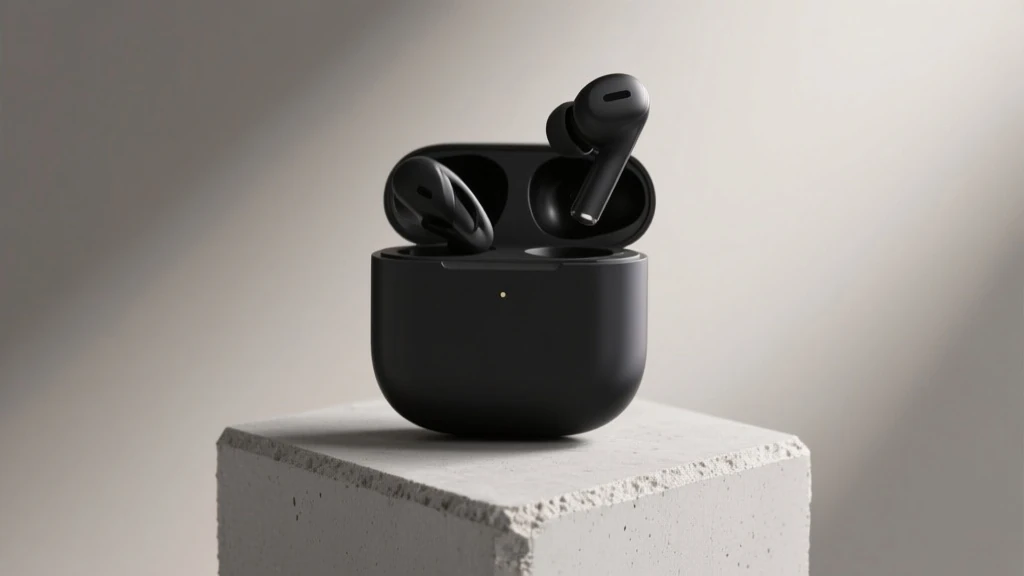
fast concept test of matte-black wireless earbuds displayed on a geometric concrete pedestal, soft studio backlighting, minimalist e-commerce composition, neutral backdrop variations.
Step 2: Upgrade with Flux
- Take your best Qwen result
- Let it re-render the same image with the same content with better details and image quality
- Get photorealistic, production-ready quality
- Clean, professional output
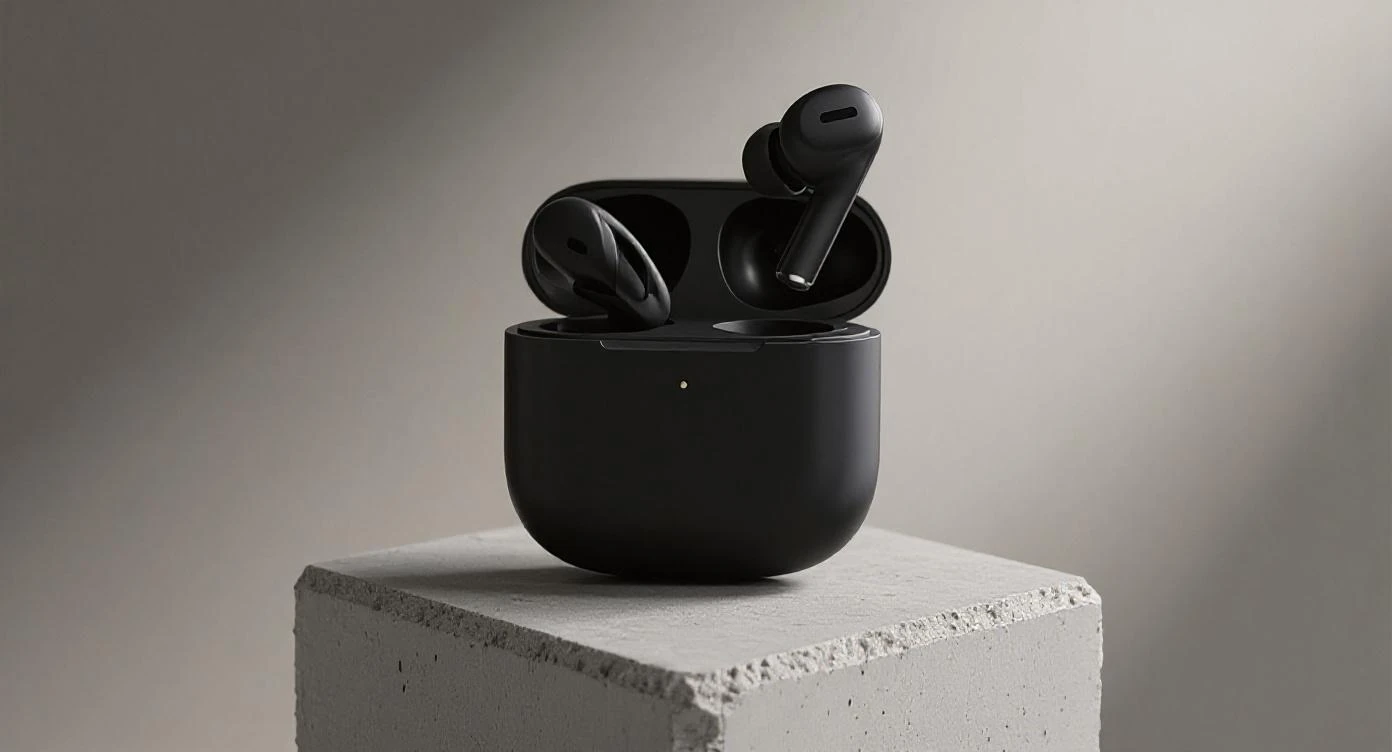
let's rerender this image with the same content, but with richer details and better image quality
If you look closely with these two images, you will see that the flux result made it look sharper in product details, and made the lighting more smooth.
Example use case: E-commerce product shots where you need to test angles/lighting before final generation
Credit cost: 1 (Qwen) + 5 (Flux Max) = 6 credits total
Pro tip: Generate multiple concepts with Qwen (~10 credits) → Pick best → Regenerate with Flux Max (5 credits) = ~15 credits total vs. 75 credits if you tested 10 ideas directly with Flux
Workflow 3: Artistic Concept → Client-Ready Edit
Midjourney → Nano Banana
Use when: Client loves the concept but needs specific changes
Step 1: Generate with Midjourney
- Create impressive concept art
- Show creative direction
- Get client excited and bought-in
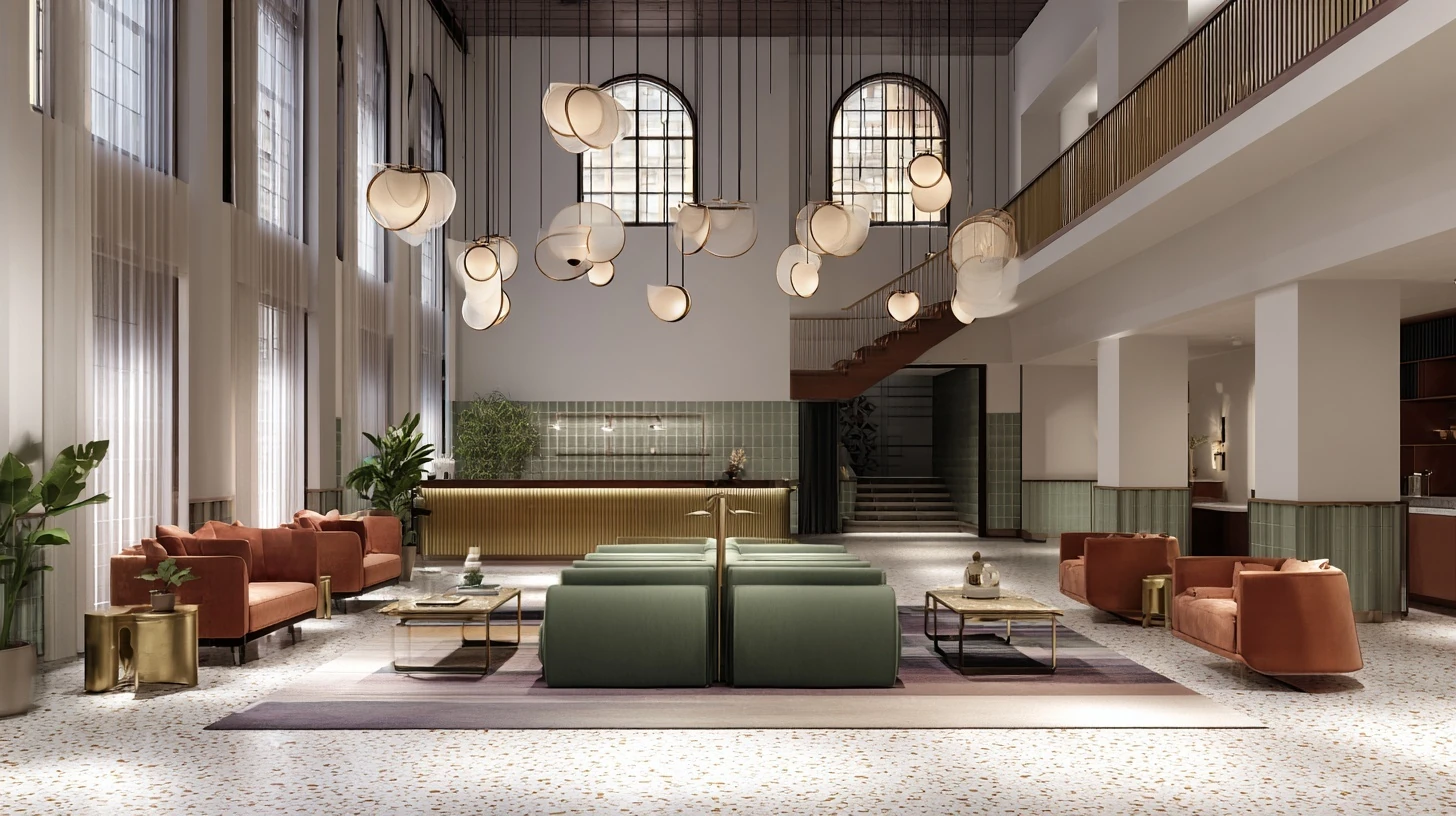
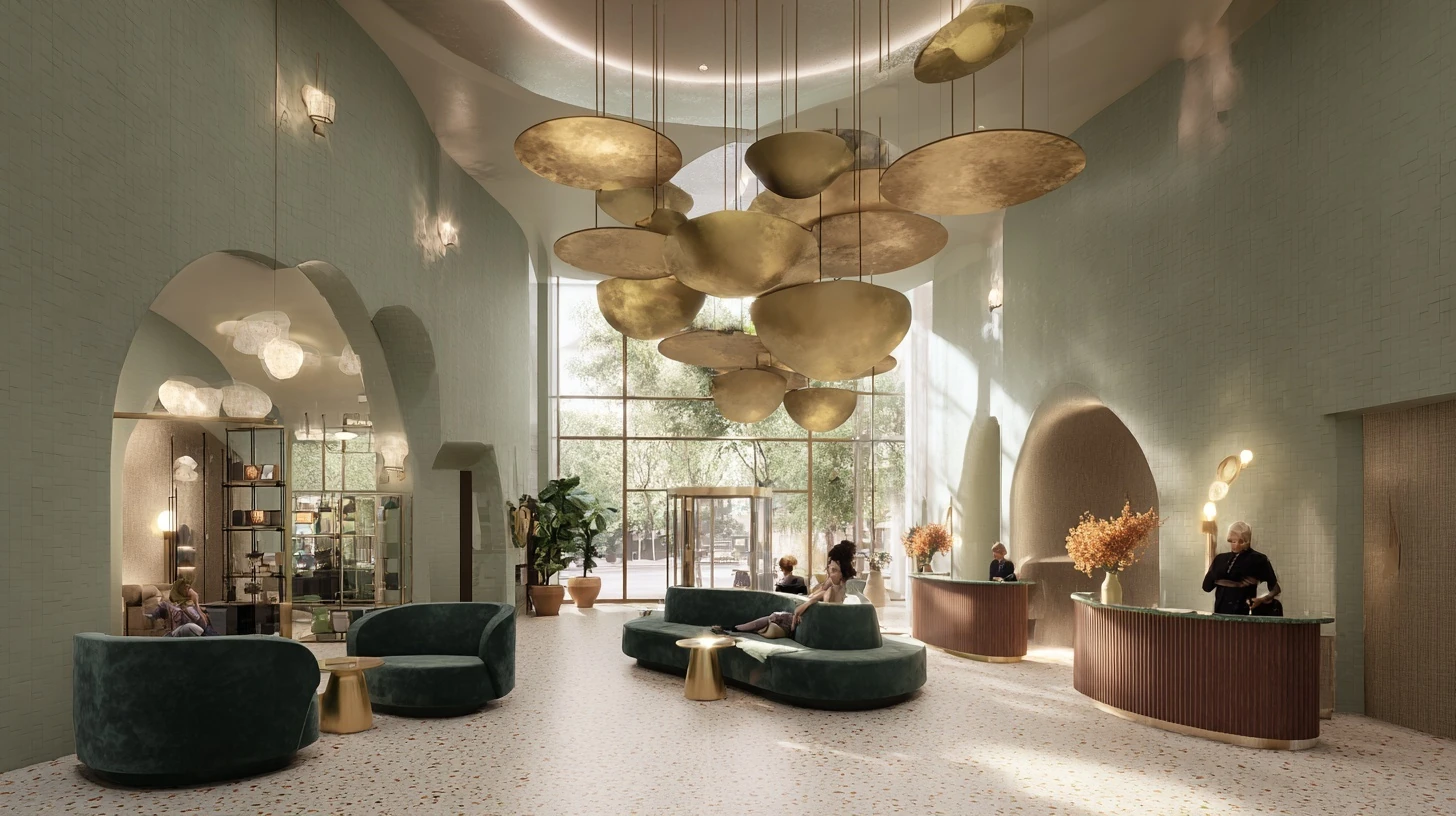
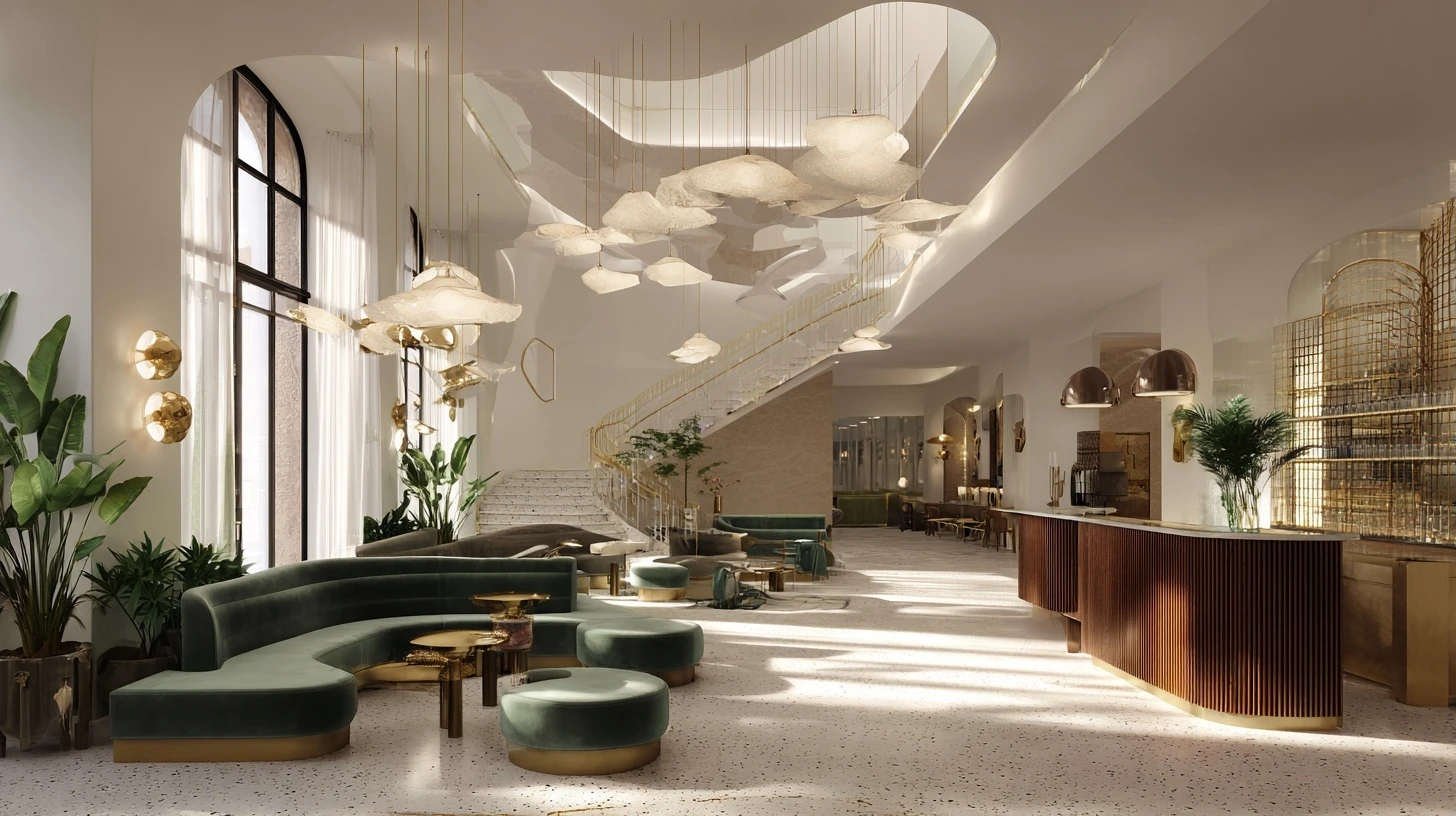
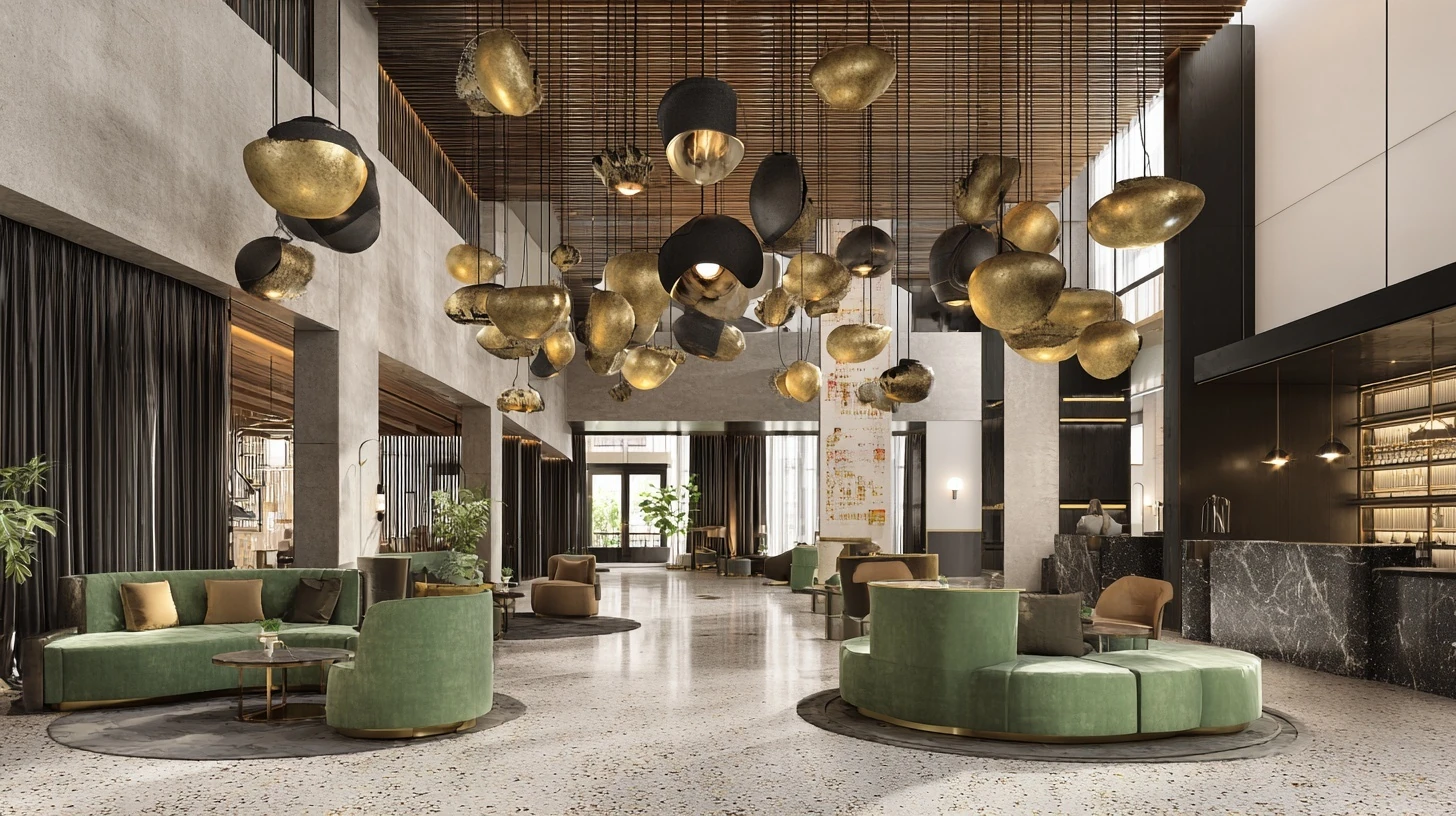
boutique hotel lobby concept with double-height ceiling, sculptural pendant lights, terrazzo flooring, sage velvet seating, warm brass accents, editorial wide-angle lighting, cinematic composition.
Step 2: Edit with Nano Banana
- Client wants different furniture? Replace it
- Wrong color scheme? Adjust it
- Need to add/remove objects? Done
- Make precise changes without regenerating
Similar to workflow 1, but this one demonstrates the object replacement technique with reference images, you can find out more on this topic in Image Reference Editing
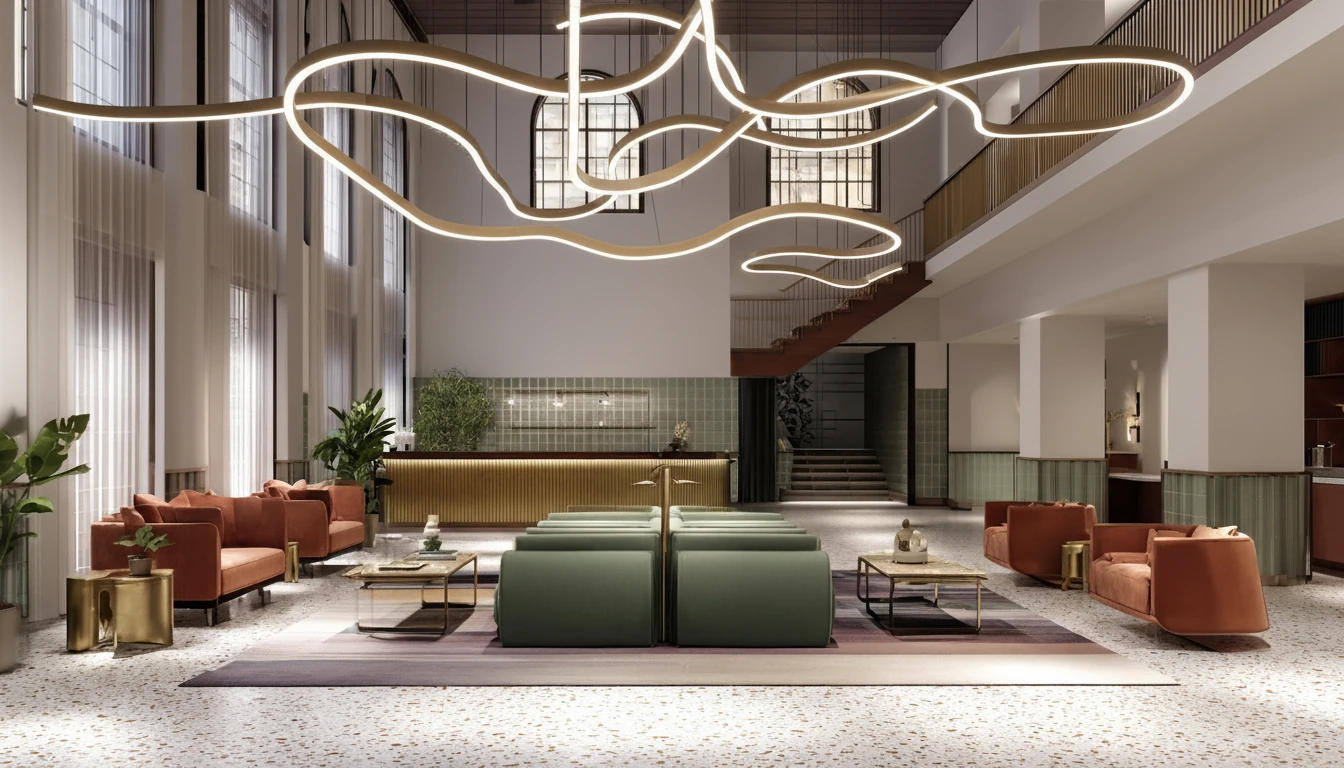
let's remove the blurred ceiling lighting from the original image 1, and recreate its lighting using the curly line lighting from the 2nd reference image.
Example use case: Interior design presentations where clients request revisions or specific furniture.
Credit cost: 4 (Midjourney Fast) + 3 (Nano Banana with specific output ratio) = 7 credits total
Why this works: Midjourney creates the "wow factor," Nano Banana handles revisions without losing the original magic
Workflow 4: Text Accuracy → Visual Enhancement
GPT-4o → Nano Banana
Use when: You need accurate text AND beautiful visuals
Step 1: Generate with GPT-4o
- Render text accurately (signs, labels, packaging)
- Follow complex, structured prompts
- Get all elements in the right place
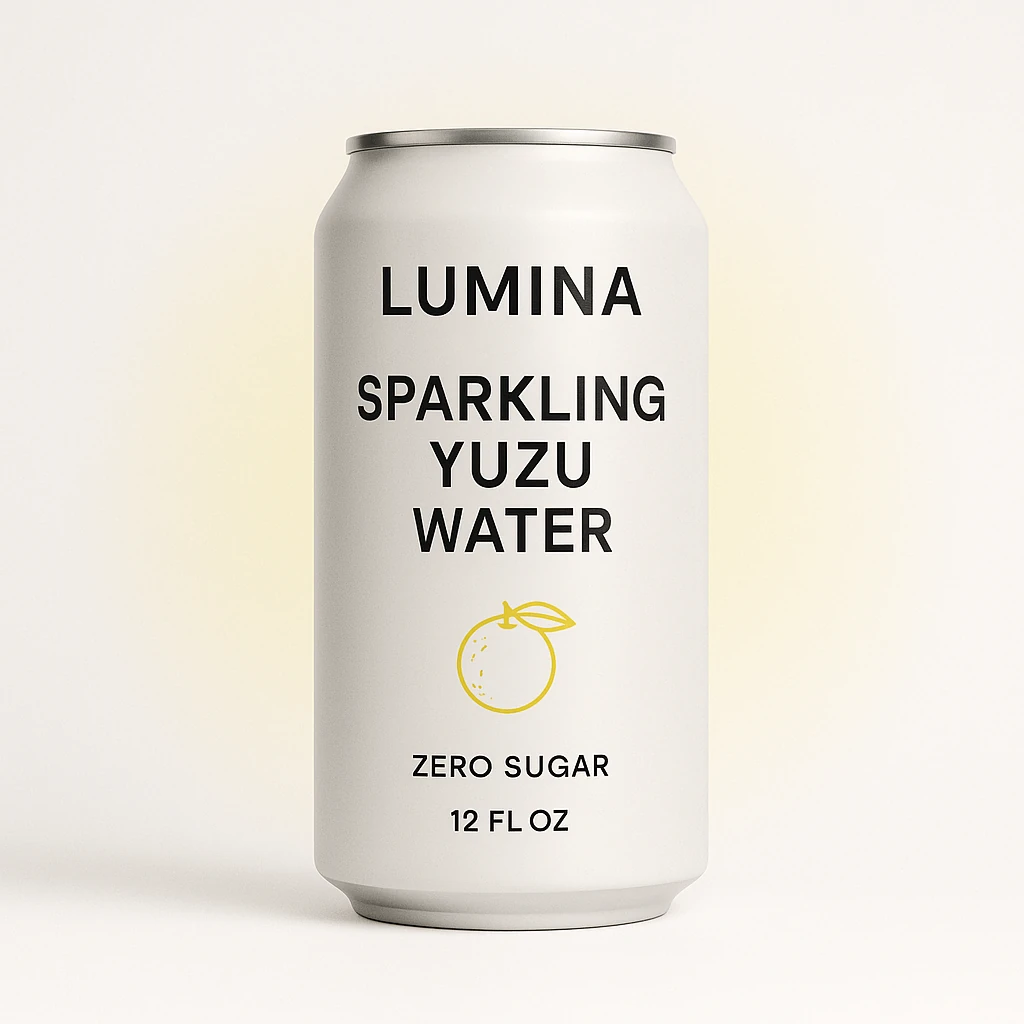
front-facing packaging mockup for sparkling water brand "LUMINA" with slim aluminum can centered, include clear headline text "SPARKLING YUZU WATER", secondary copy "ZERO SUGAR • 12 FL OZ", minimalist iconography, clean white background with pale yellow gradient aura.
Step 2: Enhance with Nano Banana
- Improve lighting and mood
- Adjust colors and atmosphere
- Refine materials and textures
- Keep text intact
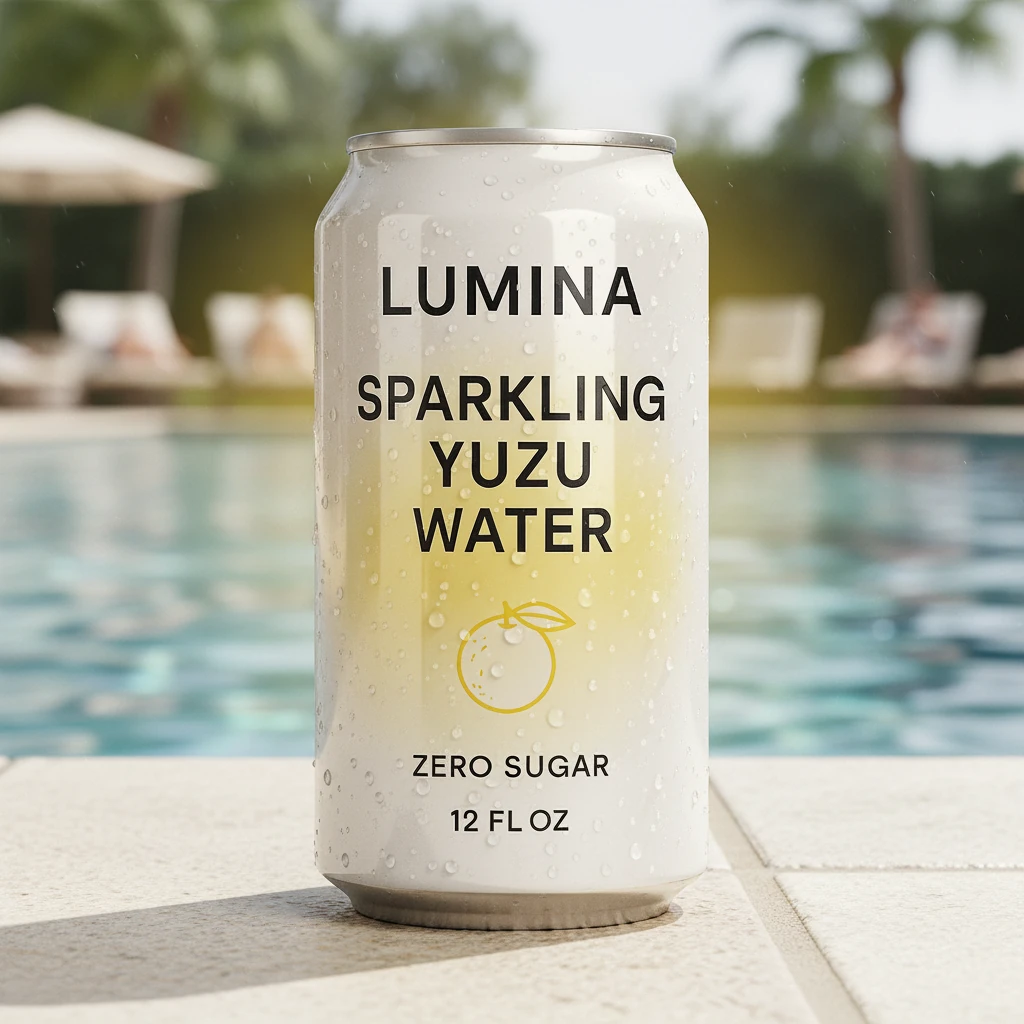
Add photorealistic reflections to the can, deepen the yuzu yellow gradient, introduce soft studio rim light, enhance condensation droplets, keep every piece of typography sharp and unchanged. replace the background with a summer swimming pool, and let the can be placed on the edge tile of the pool with background a bit blurred.
Check out the prompt in the above example to see what you can edit with Nano Banana in one go, however, it is still recommanded to make 1-2 changes only per generation to get the best result.
Example use case: Product packaging designs, signage, branded marketing materials
Credit cost: 3 (GPT-4o) + 2 (Nano Banana auto ratio) = 5 credits total
Workflow 5: Editable Base → Ultra-Wide Refinement
Nano Banana → Seedream
Use when: You want quick creative tweaks first, then a cinematic 21:9 rerender
Step 1: Craft with Nano Banana
- Iterate rapidly with precise brush edits
- Lock in composition, lighting, and hero details
- Produce a solid mid-res render Seedream can reference
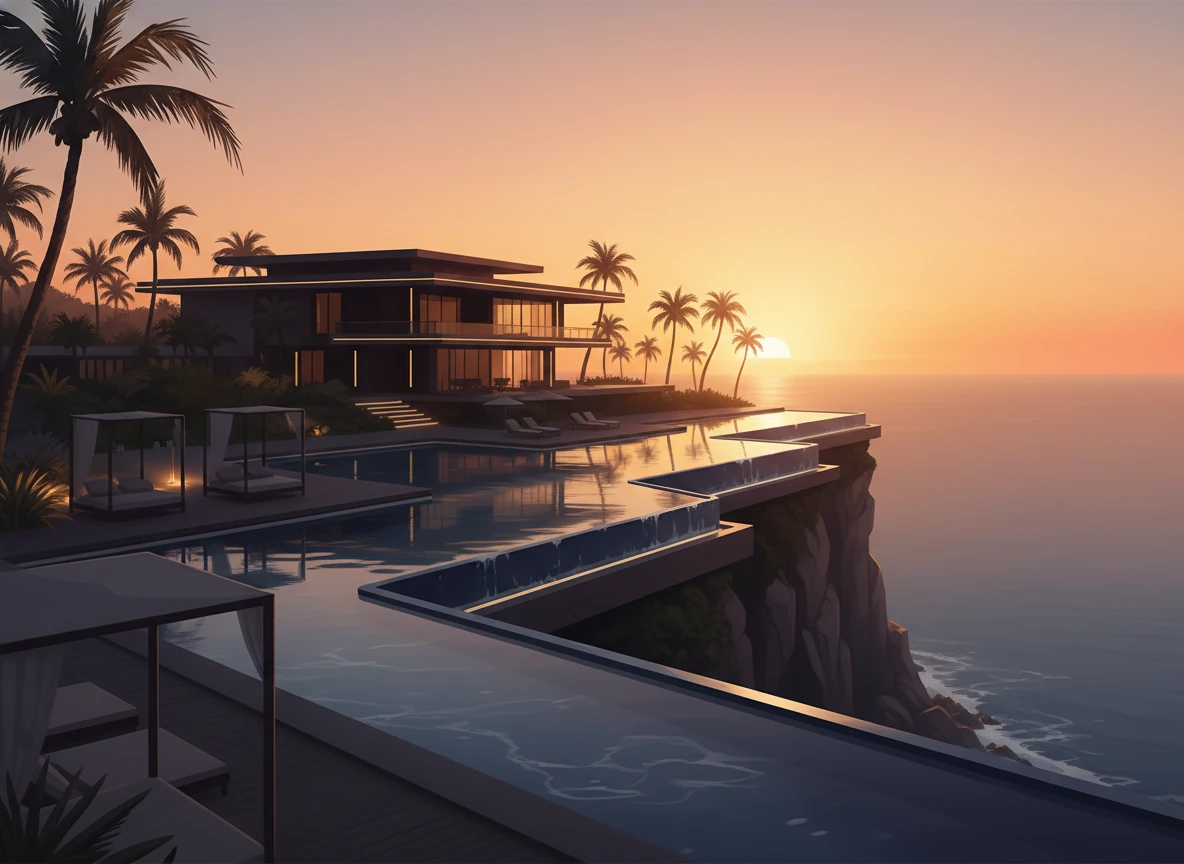
paint a luxury cliffside resort at golden hour, include layered palm trees, cascading pools, and warm architectural lighting. make sure the horizon and hero building silhouettes are clean for handoff.
Step 2: Re-render with Seedream
- Upload the Nano Banana result as the reference image
- Use Seedream's unique panoramic engine to expand to 21:9 without warping
- Enhance surface fidelity and micro-detail while honoring the source
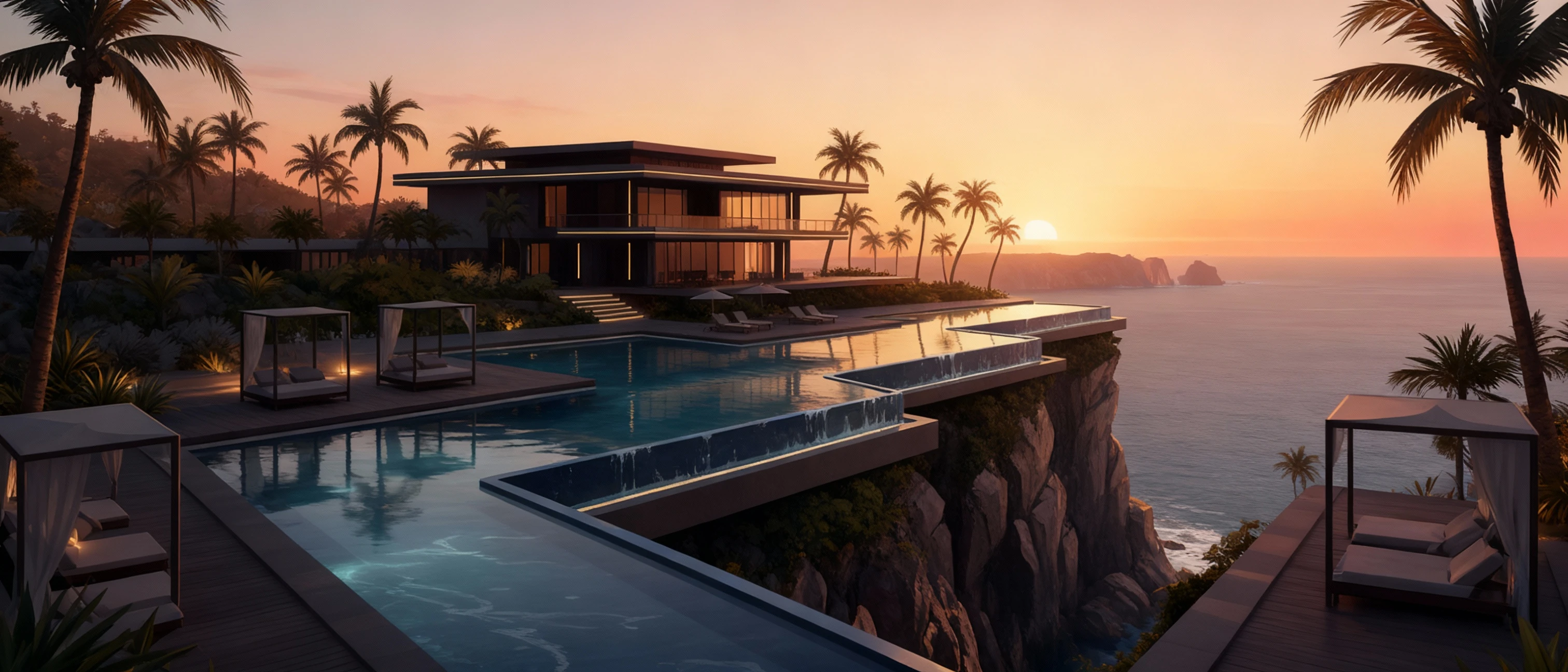
let's re-render this image with the exact same content, and improve the image quality to be more realistic looking. create the new image in ultra wide view(add necessary details on the side to fill it)
Example use case: Hero website banners or pitch decks needing a cinematic aspect ratio from tailored concept art
Credit cost: 3 (Nano Banana with custom ratio) + 2.5 (Seedream 2k) = 5.5 credits total
Why this works: Nano Banana excels at fast, targeted paint-overs, and Seedream is the only model in this lineup with a native panoramic rerender that honors a reference image—mirroring how each earlier workflow pairs unique strengths (Midjourney's ideation, Flux's realism, GPT-4o's text fidelity, Qwen's iteration speed) to cover the other's gaps.
🔄 How to Execute These Workflows in Lumabox
Iteration Pipeline (Recommended)
Step 1: Generate with First Model
- Open Prompt Composer
- Select your first model (e.g., Midjourney)
- Enter your prompt
- Click Generate
- Wait for result
Model selection guide Prompt Composer is explained here with more details
Step 2: Pass Result to Second Model
- Hover on the generated image result card
- Click + button to load the result into the prompt composer or click one "Replicate" button to replicate the full generation settings if you want to do it again with changes.
- The image automatically loads into the second model
- Adjust your prompt for refinement
- Generate again
💡 Advanced Tips for Multi-Model Pipelines
Tip 1: Different ways to describe images in the prompt for different models
When moving from Model A to Model B, modify your prompt strategically:
Midjourney → Nano Banana:
- Midjourney prompt: "Luxurious living room, dramatic lighting, cinematic"
- Nano Banana prompt: "Adjust lighting to be more natural, replace sofa with modern gray sectional"
Qwen → Flux:
- Qwen prompt: "Modern kitchen with island, bright lighting, clean"
- Flux prompt: "Modern kitchen with island, professional photography, bright natural lighting, clean composition, architectural digest style"
Key: Add specificity and technical details for the second model
Tip 2: Know When to Stop
Don't over-process. Sometimes 2 steps is perfect. Adding a 3rd model rarely improves quality and costs more credits.
Good 2-step result:
- Achieves your goal
- Looks polished
- Client/stakeholder approves
- → STOP HERE
Needs 3rd step only if:
- Major issue remains unfixed
- New requirement added mid-project
- Completely wrong direction
Tip 3: Client Revision Strategy
Present the Model A result first:
- "Here's the initial concept (Midjourney)"
- Get feedback before spending more credits
Then execute Model B:
- "Based on your feedback, here's the refined version (Nano Banana)"
- Saves credits if client wants major changes
📊 Workflow Comparison Table
| Workflow | Models | Best For | Time | Cost | Difficulty |
|---|---|---|---|---|---|
| Beautiful → Realistic | Midjourney → Nano Banana | Marketing, presentations | 3-5 min | 3.5-11 credits | Easy |
| Fast → Production | Qwen → Flux | E-commerce, high-volume | 2-4 min | 3.5-6.5 credits | Easy |
| Concept → Edit | Midjourney → Nano Banana | Client revisions | 3-5 min | 3.5-14 credits | Medium |
| Text → Enhanced | GPT-4o → Nano Banana | Packaging, signage | 4-6 min | 5-7 credits | Medium |
| High-Res → Refined | Nano Banana → Seedream | Print materials | 3-5 min | 4-6 credits | Easy |
⚠️ Common Pipeline Mistakes
❌ Mistake 1: Using the Wrong Order
Wrong: Flux → Midjourney
(Photorealistic → Artistic = loses realism for no gain)
Right: Midjourney → Nano Banana
(Artistic → Realistic edits = keeps beauty, adds accuracy)
Rule: Always go from creative/fast → precise/polished
❌ Mistake 2: Not Adjusting the Prompt
Using the exact same prompt for both models wastes Model B's strengths.
Wrong:
- Model A: "Modern living room"
- Model B: "Modern living room" (same prompt)
Right:
- Model A (Qwen): "Modern living room"
- Model B (Flux): "Modern living room, professional architectural photography, bright natural lighting, clean composition, 8k detail"
Rule: Add specificity and technical requirements in step 2
❌ Mistake 3: Skipping the Fast Model
Going straight to expensive models wastes credits on bad ideas.
Expensive approach:
- Test 10 ideas with Midjourney Fast = 40-80 credits
Smart approach:
- Test 10 ideas with Qwen = 15 credits
- Upgrade best 2 with Midjourney = 6 credits
- Total: 21 credits (save 19-59 credits)
Rule: Always prototype with Qwen or Seedream first
❌ Mistake 4: Forgetting Nano Banana for Edits
Regenerating the entire image when you only need to change one element.
Wasteful:
- Generate with Midjourney → Client wants different chair → Regenerate entire image with Midjourney → Still not exactly right → Regenerate again
- Cost: 4.5-24 credits for 3 generations
Efficient:
- Generate with Midjourney → Client wants different chair → Edit with Nano Banana (replace chair) → Done in one try
- Cost: 1.5-8 + 2-3 = 3.5-11 credits total
Rule: Use Nano Banana for any localized changes or revisions
🎨 Real Project Example: E-commerce Product Line
Goal: Create hero images for 30 furniture products
Step-by-Step Pipeline:
Phase 1: Concept Testing (Qwen)
- Generate 3 styling options for Product 1
- Cost: 4.5 credits (3 images × 1.5)
- Time: 5 minutes
- Outcome: Pick "minimalist white background" style
Phase 2: Batch Production (Qwen)
- Generate all 30 products with winning style
- Cost: 45 credits (30 images × 1.5)
- Time: 30 minutes
- Outcome: 30 consistent product shots
Phase 3: Quality Upgrade (Flux)
- Review all 30, identify top 10 hero products
- Regenerate top 10 with Flux for premium quality
- Cost: 35 credits (10 images × 3.5)
- Time: 20 minutes
- Outcome: 10 premium hero images, 20 good supporting images
Phase 4: Final Polish (Nano Banana)
- Edit 3 hero images that need minor adjustments
- Cost: 7.5 credits (3 edits × 2.5)
- Time: 15 minutes
- Outcome: Perfect final images
Total: 92 credits, 70 minutes, 30 production-ready images
Alternative (single model): 30 × 3.5 (Flux) = 105 credits, no style testing, no flexibility
Savings: 13 credits + better results + faster iteration
🔗 Related Workflows & Tools
Need More Help Choosing Models?
- Model Selection Guide - Complete decision tree for picking the right model
- Model Comparison: Basic - See each model's strengths and weaknesses
- Model Comparison: Advanced - 13 detailed test scenarios
Learn Individual Model Techniques
- Text to Image Guide - Master prompting for any model
- Precision Editing Guide - Deep dive into Nano Banana editing
- Image Reference Editing - Use reference images in your pipelines
📝 Quick Reference: Which Pipeline to Use?
| Your Situation | Best Pipeline | Why |
|---|---|---|
| Need beautiful + realistic | Midjourney → Nano Banana | Artistic wow + accuracy |
| Testing many concepts | Qwen → Flux | Fast + cheap testing |
| Client wants revisions | Midjourney → Nano Banana | Easy edits without regenerating |
| Text must be accurate | GPT-4o → Nano Banana | Text rendering + visual polish |
| Chinese market content | Qwen → Nano Banana | Chinese text + refinement |
| High-resolution output | Seedream → Nano Banana | Resolution + customization |
| Just need fast + good | Qwen or Flux alone | No pipeline needed |
| Editing existing photo | Nano Banana alone | No pipeline needed |
Summary: Master the 2-Step Pipeline
The golden rule: Use Model A for its strength → Use Model B to fix Model A's weakness
The 3 most useful pipelines:
- Midjourney → Nano Banana (beautiful → realistic)
- Qwen → Flux (fast testing → production quality)
- Any Model → Nano Banana (generation → precise edits)
Remember: More steps ≠ better results. Two models, two steps, perfect output.
Now try these workflows yourself with the Prompt Composer ! 🎨