Key Takeaways
- Visuals Drive Conversions: High-quality product images can boost your online store conversions by up to 250%, serving as the vital connection between your customers and your products.
- AI is Revolutionizing the Workflow: AI product photography tools like Lumabox.ai enable you to generate hyper-realistic lifestyle scenes in seconds, reducing the need for expensive studios and photographers.
- Preparation is Crucial: Proper product styling, choosing the right background, and mastering basic lighting setups are essential for capturing perfect shots and minimizing editing time.
- Platform Optimization Matters: Each marketplace (Amazon, eBay, Etsy) has strict image requirements; adhering to them and compressing images for mobile loading is critical for SEO and sales.
Did you know that 90% of online shoppers consider image quality to be the most crucial factor in their purchasing decisions? In the fiercely competitive digital marketplace, your visuals are your virtual storefront window. Welcome to the definitive guide on e commerce product photography. Whether you are launching a new brand or looking to upgrade your current catalog, mastering the art of capturing stunning product images is the fastest way to build trust, reduce return rates, and dramatically increase your online store's conversion rate.
In this comprehensive tutorial, we will take you through everything you need to know to shoot professional-grade photos. We will cover the fundamental equipment, step-by-step shooting techniques, advanced ecommerce photo editing, and how revolutionary AI tools are changing the game. By the end of this guide, you will have the knowledge to create visuals that stop scrollers in their tracks and compel them to hit "Add to Cart."
1. The Basics of E Commerce Product Photography
Before diving into the technical steps, it is essential to understand why high-quality imagery is the lifeblood of any successful online business.
Why High-Quality Visuals Matter for Your Online Store
When customers shop online, they cannot touch, feel, or try on your products. Your images must bridge that sensory gap. Exceptional e commerce product photography communicates value, highlights intricate details, and reassures the buyer of the product's quality. According to industry research by Shopify, high-quality images can increase conversions by up to 250%. Poorly lit or blurry photos instantly degrade your brand's perceived value, increase cart abandonment rates, and drive potential customers straight to your competitors.
Traditional Photography vs. AI Product Photography
Historically, acquiring professional photos meant hiring expensive e commerce photographers, renting studio space, and waiting weeks for edited files. Today, the landscape is shifting. While traditional photography remains vital for highly complex or bespoke items, AI-powered solutions are democratizing the process. AI allows sellers to generate lifelike lifestyle scenes and perfect lighting using simple smartphone snapshots, saving thousands of dollars and slashing time-to-market. Tools that once required a massive budget are now accessible to every entrepreneur.
Essential Equipment and Tools
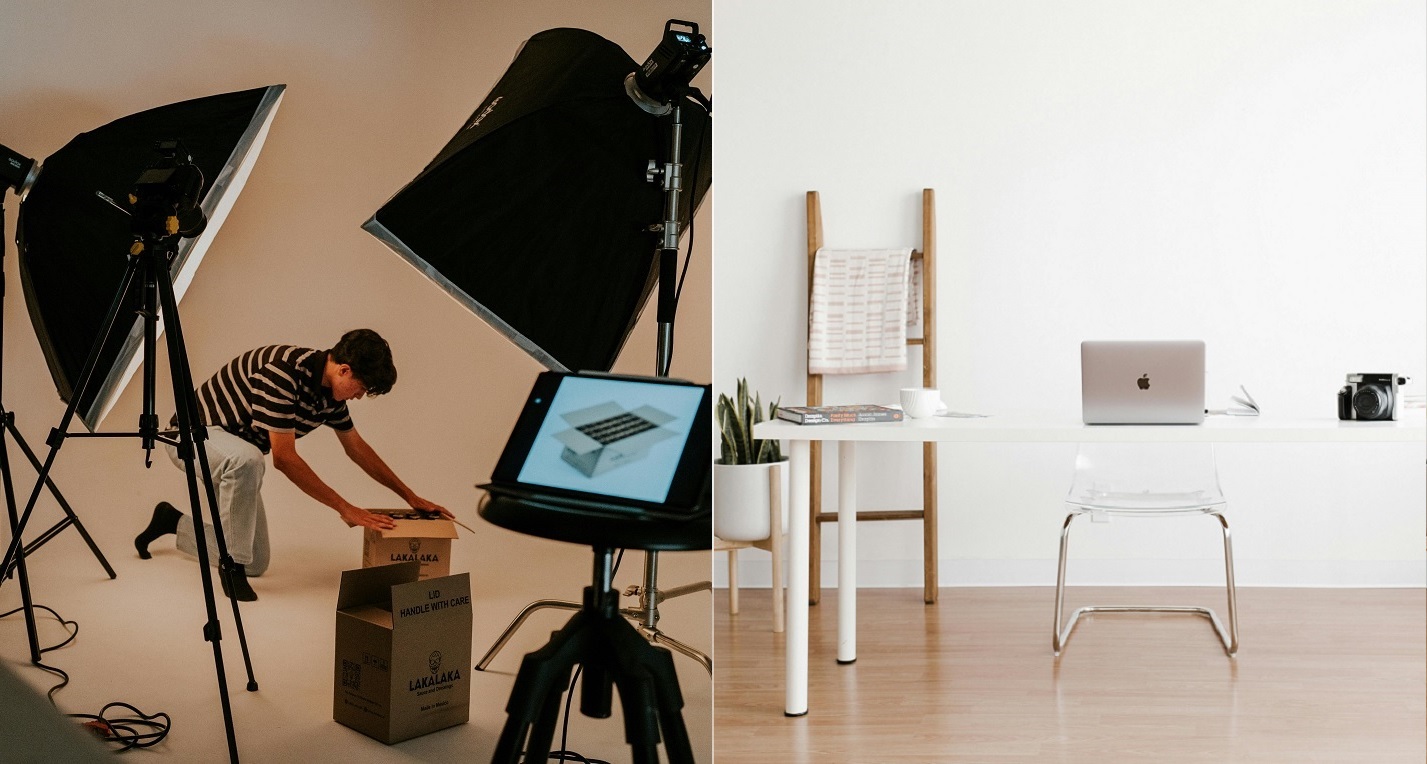
You don't need a $5,000 camera to get started, but having the right fundamental gear is crucial for great product photography for online stores:
- Camera: A modern smartphone (like an iPhone 14 or newer) or a basic DSLR/Mirrorless camera. If using a DSLR, a macro lens (like a 100mm f/2.8) is incredible for capturing fine details.
- Tripod: Essential for sharp images and consistent framing. It allows you to use slower shutter speeds without introducing camera shake.
- Lighting: Two to three continuous LED softboxes or a high-quality strobe kit. Lighting is the most critical element of your setup.
- Light Modifiers: Umbrellas, diffusers, and reflectors. These help soften harsh light and bounce it into dark shadows, ensuring an even exposure.
- Backdrop: A seamless white paper sweep (often called a cyclorama or seamless background paper) or a tabletop light tent for isolated, small-item shots.
2. Preparation: Setting the Stage for Success
The secret to flawless photos lies in the preparation. Skipping these steps will guarantee hours of frustrating ecommerce photo editing later.
Product Cleaning and Styling
Your camera will pick up every speck of dust, smudge, and fingerprint. Wear microfiber gloves when handling products, and use compressed air to blow away dust right before shooting. Ensure labels are perfectly straight, fabrics are wrinkle-free, and reflective surfaces are polished.
Choosing the Right Background
For standard catalog shots, a pure white background is the industry standard (especially for Amazon photos). However, if you are shooting for social media or your own website's hero banners, consider colored backdrops or textured surfaces that align with your brand identity. If you struggle with sourcing props, utilizing lifestyle product photography techniques or AI tools can help you generate stunning environments virtually.
Lighting Setup
Lighting can make or break your image. Avoid mixing color temperatures (e.g., combining warm indoor bulbs with cool window daylight), as this creates unnatural color casts.
- Front Lighting: Evenly illuminates the product but can look flat.
- Side Lighting: Excellent for highlighting textures and details, casting dynamic shadows.
- Backlighting: Perfect for translucent products like glassware or liquids, creating a glowing effect.
3. Step-by-Step Shooting Guide
With your set prepped, it's time to capture the images.
Camera and Smartphone Settings
If using a DSLR, shoot in RAW format for maximum flexibility during editing. RAW files retain all image data, making it easier to fix exposure mistakes later. Set your ISO as low as possible (usually 100 or 200) to avoid grainy noise. Use a narrow aperture (f/8 to f/16) to ensure a deep depth of field, keeping the entire product—from front to back—in crisp focus. To compensate for the narrow aperture and low ISO, you will likely need a slower shutter speed, which is exactly why a tripod is non-negotiable.
If you are using a smartphone, lock the focus and exposure by tapping and holding on your product on the screen. Most modern smartphones also offer a "Pro" or "Manual" mode either natively or through third-party apps, allowing you to adjust ISO and shutter speed manually.
Mastering Angles
Shooting from multiple angles provides a complete picture for the buyer. Standard angles include:
- Eye-Level: The standard view, showing the product straight on.
- High Angle (Bird’s Eye): Great for flat lays or showing the contents of an open box.
- Low Angle: Makes the product look heroic and imposing.
- Macro/Detail: Extreme close-ups of textures, stitching, or unique features that communicate high quality.
The Multi-Shot Strategy
Never rely on a single photo. A best practice in e commerce product photography is to provide a minimum of 4-6 images per listing:
- The Hero Shot: A clean, straight-on shot on a white background.
- The Lifestyle Shot: The product in use or in its natural environment, helping customers visualize ownership.
- The Scale Shot: An image showing the product next to a recognizable object or a person to communicate its true size.
- The Detail Shot: Close-ups of textures, materials, or special features.
- The Packaging Shot: Showing how the product will arrive, which is especially important for giftable items.

4. Post-Processing: Elevating Your Images
Taking the photo is only half the battle; ecommerce photo editing is where the magic happens and professional aesthetics are finalized.
Background Removal and Cleanup
The first step in editing is usually isolating your product. Removing the background ensures a clean, distraction-free image that complies with marketplace standards. In Photoshop, tools like the Object Selection Tool or the Pen Tool are standard. After isolation, use the healing brush or clone stamp tool to meticulously remove any lingering dust spots, scratches, or minor manufacturing defects on the product itself.
Color Correction and Shadows
Color accuracy is critical to prevent returns. Ensure your white balance is correct so that a white product actually looks white, not yellow or blue. Adjust the vibrancy and saturation carefully—the goal is to make the product look appealing but still true to life. If you find your original shots are poorly lit, you can learn how to fix bad lighting in product photos with AI.
Additionally, adding a subtle shadow grounds the product. Drop shadows simulate light coming from above, while reflection shadows create a mirrored effect beneath the product, often used in electronics photography to convey a premium feel.
Leveraging AI Product Photography Tools
The most significant trend in 2026 is the rapid adoption of AI product photography tools. Instead of spending hours in complex editing suites, tools like Claid.ai and Photoroom offer rapid background removal and standard templating to streamline high-volume catalog processing.
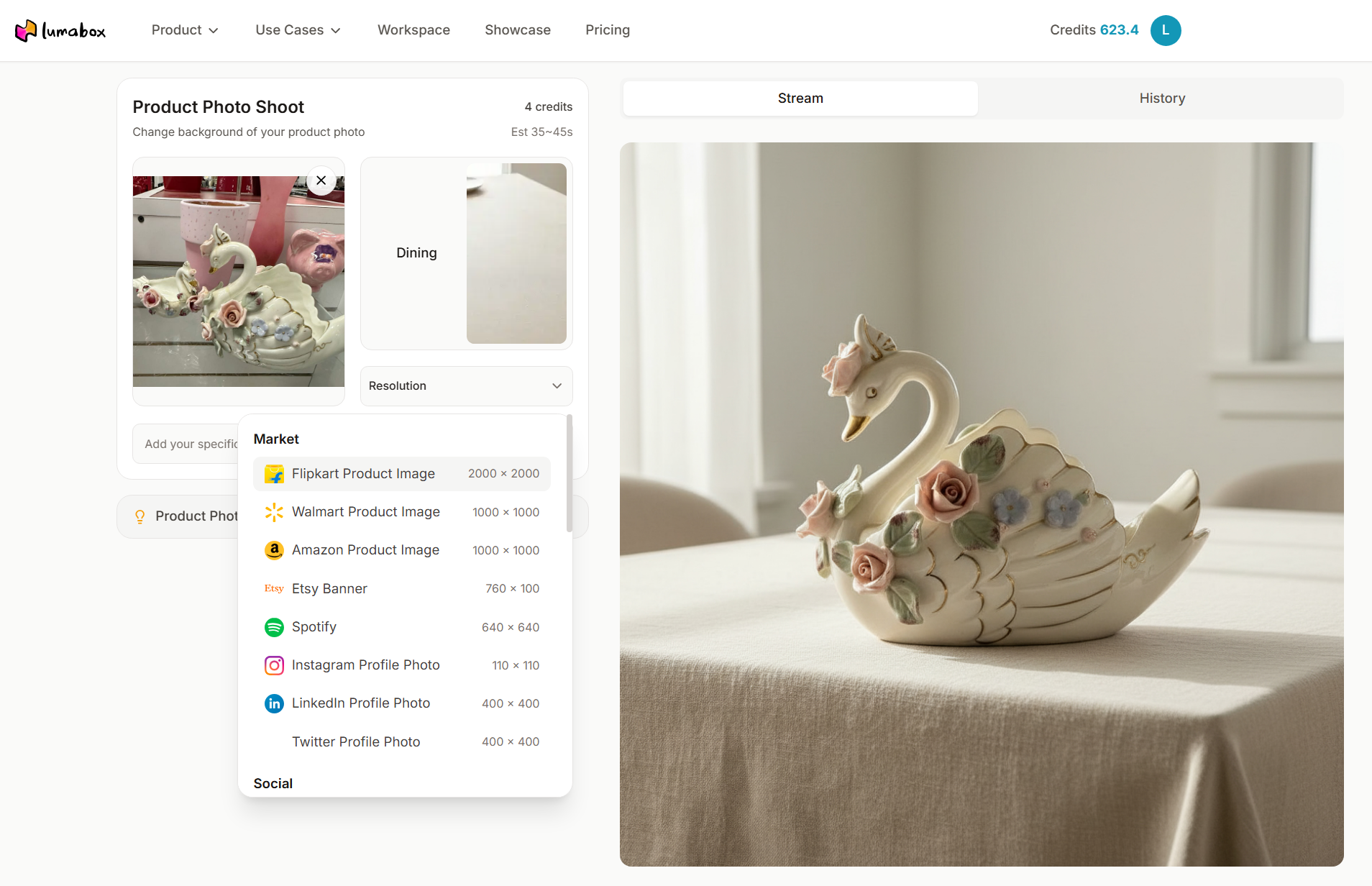
For sellers who want truly hyper-realistic, agency-level results, Lumabox.ai is revolutionizing the workflow. By uploading a simple product photo, you can instantly generate complex lifestyle scenes, complete with accurate lighting, reflections, and shadows. For example, if you are selling rings or necklaces, finding the right setting is notoriously difficult. AI tools can effortlessly generate premium jewelry photography backgrounds that make your items sparkle, saving you the immense cost of hiring specialized e commerce photographers.
5. Platform-Specific Image Optimization
Not all platforms treat images the same way. You must optimize your photos for their final destination to ensure maximum visibility and fast loading times.
Marketplace Requirements (Amazon, eBay, Etsy)
- Amazon Photos: The main image must be on a pure white background (RGB 255,255,255), and the product must fill at least 85% of the frame. Watermarks, text, or inset images are strictly prohibited on the main hero image. According to Amazon's official image guidelines, failure to comply can result in suppressed listings.
- eBay: Requires images to be at least 500 pixels on the longest side, though 1600 pixels is recommended for zooming capabilities. They also prohibit borders and promotional text on images.
- Etsy: Tends to favor lifestyle and creative setups over stark white backgrounds to appeal to its artisanal, handmade audience. Aspect ratios like 4:3 or square (1:1) work best here.
Social Media and Mobile Optimization
Always compress your images for web use. Huge file sizes will significantly slow down your online store's page load times, which severely hurts both your conversion rate and your SEO rankings. Use tools like TinyPNG to compress files, or serve your images in the modern WebP format for superior compression without visible quality loss. For social media platforms, remember that most users are on mobile devices; ensure your products are large, vibrant, and clear enough to be easily identifiable on a small, brightly lit screen.
Pro Tips for Online Product Photography
Looking to take your visuals to the next level? Here are some online product photography tips used by the pros:
- Use a Gray Card: Place a standard gray card in your first test shot. This gives you a perfect reference point for achieving 100% accurate white balance during editing.
- Create Practical Reflections: Place your product on a piece of clear acrylic or glass with a white background underneath to create a high-end, subtle reflection natively in-camera.
- Suspend Items with Fishing Line: For dynamic "floating" shots of shoes or bags, suspend the item with clear monofilament fishing line, which is incredibly easy to edit out later in post-production.
- Master the "Squinch": When using models in your lifestyle shots, direct them to slightly narrow their eyes (the squinch) to project confidence rather than a wide-eyed look.
Frequently Asked Questions (FAQ)
What is the best camera for product photography for online stores? While professional DSLRs like the Canon EOS R5 offer the highest quality and detail, modern smartphones like the iPhone 15 Pro are more than capable for most beginners, especially when paired with good lighting and AI product photography tools.
How much do e commerce photographers usually charge? Rates vary wildly depending on experience and location. Freelance photographers might charge $20 to $50 per image, while high-end commercial studios can charge hundreds or even thousands for a full campaign. This is exactly why many brands are shifting towards AI alternatives.
What is the easiest way to do ecommerce photo editing? If you lack Photoshop skills, leveraging AI-powered software is the easiest route. Tools like Lumabox.ai can automate background removal, shadow generation, and color correction in just a few clicks, delivering professional results instantly.
Are pure white backgrounds mandatory for all online stores? No. While they are strictly required for main images on Amazon, many independent Shopify stores and brands prefer lifestyle or subtly colored backgrounds to stand out and convey their brand identity better.
Conclusion
Mastering e commerce product photography is an ongoing journey, but the return on investment is absolutely undeniable. High-quality visuals build brand trust, elevate your online store's aesthetic, and serve as the most direct catalyst for boosting your conversion rate. By understanding the basics of lighting, dedicating time to rigorous preparation, and optimizing your images for various platforms, you set your products up for unparalleled success.
Furthermore, by embracing modern AI product photography tools, you can achieve agency-level results at a fraction of the cost and time. The days of struggling with complicated setups, expensive studios, and tedious editing are fading fast.
Are you ready to transform your raw product shots into breathtaking, high-converting lifestyle images in seconds? Don't let subpar photography hold your brand back. Experience the future of e commerce product photography today. Try Lumabox.ai now and elevate your online store to the next level!