Key Takeaways
- The AI Advantage: Modern AI tools have completely replaced manual clipping paths, offering unmatched speed and precision for e-commerce.
- Know Your Tools: This image background removal technology comparison reveals that ClipDrop is ideal for quick developer APIs, Photoroom for social media, and LumaBox AI for professional e-commerce.
- Precision Matters: When handling complex edges like hair, transparent materials, or reflections, specialized algorithms trained on product photography significantly outperform general models.

Who, What, Why, and How?
- Who is this for? E-commerce sellers, professional photographers, and AI design enthusiasts.
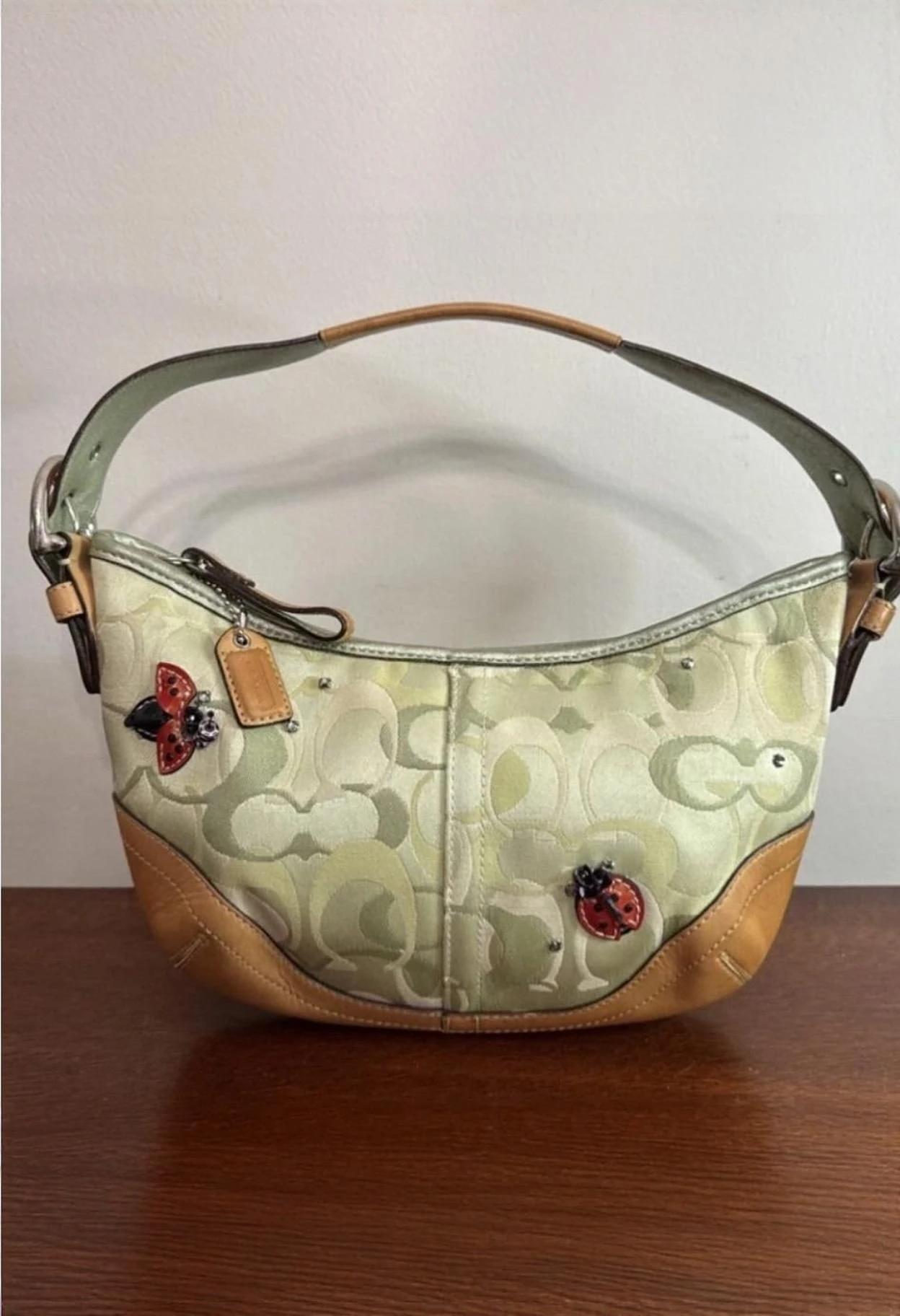
- What is it? A comprehensive image background removal technology comparison evaluating the top AI-driven tools available today.
- Why does it matter? High-quality product images increase conversion rates and build brand trust. Transitioning from manual editing to automated AI solutions saves countless hours and drastically reduces operational costs.
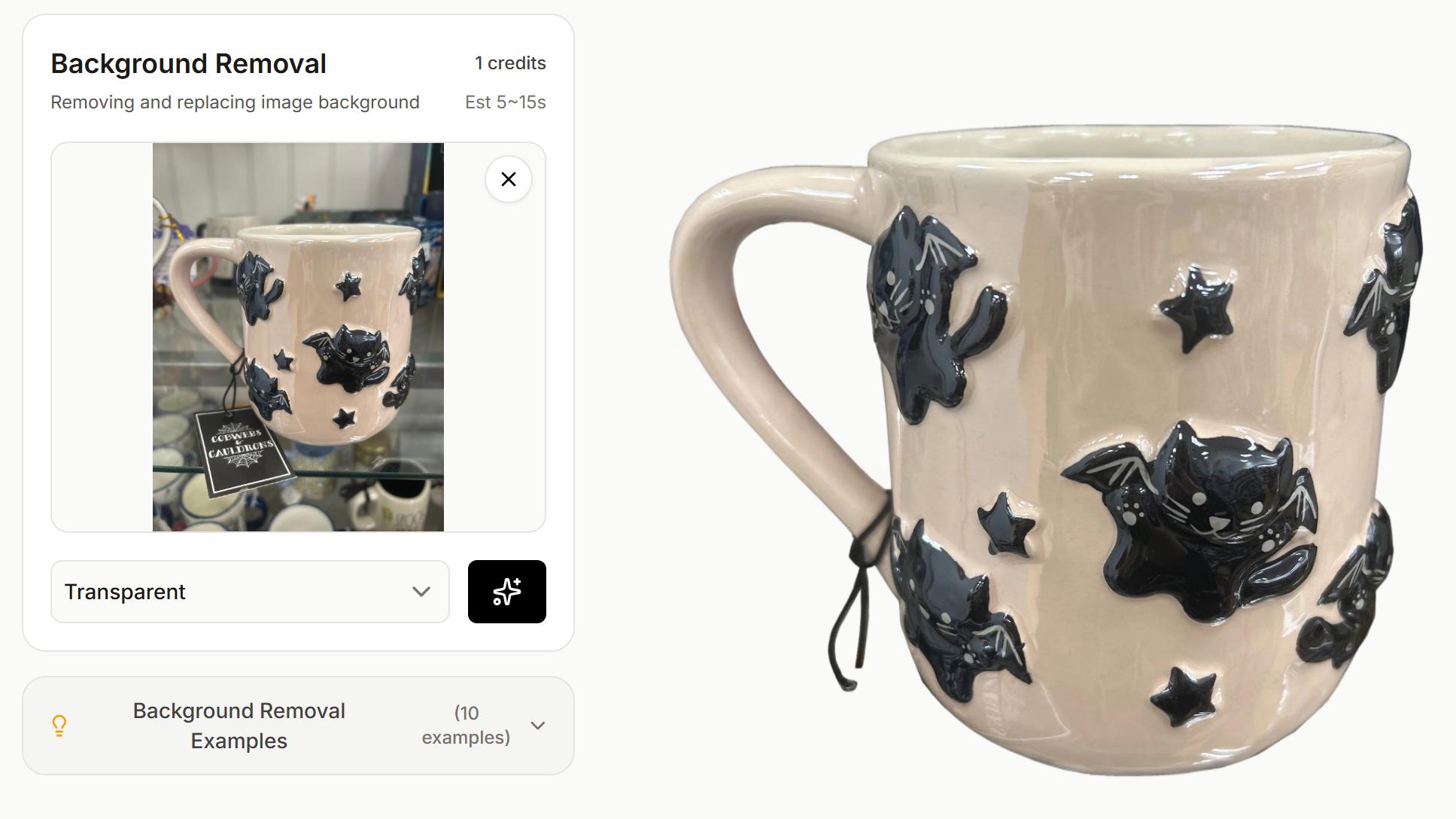
- How do they work? Modern background removal tools utilize advanced AI segmentation and neural networks to instantly detect subjects and execute pixel-perfect cutouts without human intervention.
The Evolution of Background Removal
Historically, achieving a clean product cutout required meticulous manual labor using Photoshop's Pen Tool to create complex clipping paths. While highly accurate, this process was incredibly slow and expensive, often becoming a major bottleneck for scaling e-commerce businesses during catalog updates.
Today, the landscape has completely shifted. Artificial intelligence has revolutionized the creative workflow. The modern e-commerce environment demands both speed and uncompromised quality, driving the development of sophisticated tools that handle bulk processing with incredible precision in a fraction of the time.
Technology Comparison: The Market Leaders in 2026
When evaluating solutions for isolating subjects, three names consistently dominate the conversation: ClipDrop, Photoroom, and LumaBox AI. Here is a deep dive into how they stack up against each other.
ClipDrop Remove Background Capabilities
The ClipDrop remove background feature has gained significant traction due to its robust and lightweight AI engine. Powered by advanced machine learning models, ClipDrop excels at rapid subject isolation. It is particularly effective for users who need quick, on-the-go edits. Its flexible API integration makes it a strong candidate for developers building custom applications, though it may occasionally require manual refinement when dealing with highly complex, low-contrast edges.

Photoroom's Versatile Ecosystem
Photoroom has built a massive following by offering an intuitive mobile and web experience. Its background removal technology is highly reliable, frequently producing clean edges around standard geometric shapes and clothing. Photoroom is an excellent choice for small business owners and social media managers who want an all-in-one suite to not just remove backgrounds, but also easily add text, templates, and basic shadows.

LumaBox AI's Proprietary Edge
Where LumaBox AI separates itself is its hyper-focus on e-commerce perfection. Utilizing proprietary AI segmentation algorithms, LumaBox AI is trained specifically on product photography—from highly reflective jewelry to intricate apparel and translucent liquids. Its edge detection capabilities go beyond basic outlines, intelligently preserving natural lighting and fine details. This makes it the premier choice for professional sellers aiming for studio-quality results without the exorbitant studio budget.
Performance Metrics: Accuracy, Speed, and Batch Processing
To provide a true image background removal technology comparison, we evaluated these platforms across three critical operational dimensions.
1. Edge Detection and Accuracy (Hair and Fine Details)
Handling solid, opaque objects is standard; the real test of an AI is complex textures like hair, fur, or transparent materials like glass.
- ClipDrop: Performs exceptionally well on standard items but may require minor touch-ups for wispy hair or transparent plastics.
- Photoroom: Offers solid performance across most categories, though fine edge detection on highly reflective or white-on-white surfaces can sometimes falter.
- LumaBox AI: Excels in this category. Its specialized algorithms maintain the integrity of complex boundaries, ensuring that fine details are preserved seamlessly without the "choppy" look common in older AI models.
2. Speed and Processing Time
In e-commerce, time is money.
- ClipDrop: Lightning-fast for single images, making it great for one-off edits.
- Photoroom: Very responsive, with a highly optimized and fluid web interface.
- LumaBox AI: Optimized for high-throughput, delivering near-instantaneous results even on uncompressed, high-resolution product shots.
3. Bulk Processing Capabilities
When dealing with seasonal inventory updates, processing one image at a time is not a viable strategy.
- ClipDrop: Offers API access for batching, but requires some technical setup and developer knowledge.
- Photoroom: Provides batch processing on its premium tiers, which is user-friendly and effective for medium-sized batches.
- LumaBox AI: Features native, highly intuitive bulk processing designed specifically for massive product catalogs. It allows sellers to drop hundreds of images and export them uniformly in minutes.
Summary Table
| Feature | ClipDrop | Photoroom | LumaBox AI |
|---|---|---|---|
| Best For | Developers & Quick Edits | Mobile Users & Solopreneurs | Pro E-commerce Sellers |
| Edge Detection | Good for basic shapes | Solid for general objects | Ultra-precise (Specialized for products) |
| Ease of Use | Moderate (Developer-focused) | Very High (App-based) | High (Intuitive Web Interface) |
| Aesthetic Quality | Standard cutout | Good for social media | Studio-grade realism |
Integration & Workflow in a Modern E-commerce Stack
Adopting a powerful AI background removal tool is only half the battle; it must fit smoothly into your existing operations. Modern e-commerce tech stacks rely heavily on seamless workflow automation.
For enterprise tech teams, integrating a solution like the ClipDrop remove background API allows developers to build custom internal tools seamlessly. However, for most e-commerce brands and agencies, a platform with a ready-to-use interface that supports heavy bulk processing out of the box is far more valuable.
Tools like LumaBox AI allow you to directly import raw photography, automatically strip the background, apply consistent sizing, and export directly to Shopify or Amazon-ready formats. This drastically reduces the time from the photoshoot to the live listing, accelerating your time-to-market. It also supports to export images for social market platforms.
Conclusion: Which Tool Should You Choose?
The right tool depends entirely on your operational scale and specific business needs:
- For the Casual Creator or Developer: If you are building an app and need a reliable API, or just need to remove backgrounds quickly on the fly, the ClipDrop remove background tool is highly effective and accessible.
- For Solopreneurs and Small Businesses: If you operate primarily from a mobile device and need quick, vibrant social media posts, Photoroom is an excellent all-in-one companion.
- For Professional E-commerce Sellers and Enterprises: If your priority is flawless edge detection, bulk processing of hundreds of SKUs, and studio-quality consistency, LumaBox AI is the definitive choice. Its specialized focus on product photography makes it an indispensable asset for serious brands looking to scale.
Related Articles
Continue optimizing your e-commerce visuals and workflow with these comprehensive guides from our experts:
- Master your end-to-end workflow with our Ultimate Guide to E-commerce Product Photography.
- Discover how to elevate your brand's aesthetic with our Professional Product Photo Editing Guide.
- Looking ahead? Check out the Top AI E-commerce Tools for 2026 to stay ahead of the curve.
- For niche markets, learn the secrets to flawless lighting and textures in our guide to Professional Skincare Product Photography with AI.